Endpoint protection
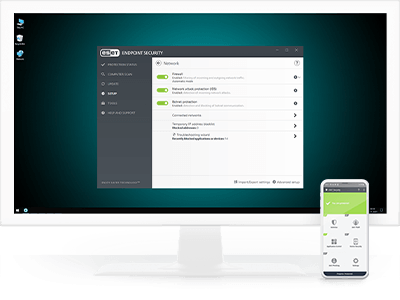
ESET Endpoint Security
Leverages a multilayered approach that utilizes multiple technologies working together to balance performance, detection and false positives, and with automated malware removal and mediation.
- Protect against ransomware
- Block targeted attacks
- Prevent data breaches
- Stop fileless attacks
- Detect advanced persistent threats
- Mobile protection and MDM
Explore features
Managed from a unified console
All ESET endpoints, including endpoints and mobiles, can be managed from our cloud-based unified management console ESET PROTECT.
Stop fileless attacks
ESET endpoint protection platforms have mitigations in place to detect malformed or hijacked applications to protect against fileless attacks. Dedicated scanners were also created to constantly check memory for anything suspicious.
Block targeted attacks
ESET’s endpoint protection solutions use threat intelligence information based on their global presence to prioritize and effectively block the newest threats prior to their delivery anywhere else in the world. In addition, our solutions feature cloud-based updating to respond quickly in the case of a missed detection without having to wait for a regular update.
Safeguard the web browser
Designed to protect an organization’s assets with a special layer of protection that focuses on the browser, as the main tool used to access critical data inside the intranet perimeter and in the cloud. Secure Browser provides enhanced memory protection for the browser process, coupled with keyboard protection, and lets admins add URLs to be protected by it.
Network Attack Protection
ESET Network Attack Protection improves detection of known vulnerabilities on the network level.
Botnet Protection
ESET Botnet Protection detects malicious communication used by botnets, and at the same time, identifies the offending processes. Any detected malicious communication is blocked and reported to the user.
Machine learning
All ESET Endpoint products currently use machine learning in conjunction with all of our other defense layers and have done so since 1997. Specifically, machine learning is used in the form of consolidated output and neural networks. For an in-depth inspection of the network, admins can turn on the special aggressive machine learning mode that works even without an internet connection.
Automatic protection
With this option enabled, admins can be sure that new users created within the Microsoft 365 tenant will be automatically protected without the need to go to the console to add them separately.
Quarantine manager
An admin can inspect objects in this storage section and decide to delete or release them. This feature offers simple management of emails and files that have been quarantined by our security product. On top of that, the admin can download quarantine items and investigate them with other tools locally.
Multitenancy
Add unlimited tenants and serve multiple companies from a single dedicated ESET Cloud Office Security console.
Rules
ESET’s comprehensive rule system allows administrators to manually define email filtering conditions and actions to take with the filtered emails.
User reports with quarantine release (NEW)
An admin can let employees have visibility into what is kept in quarantine. Once an email or any kind of object is put into quarantine, employees can receive an email with information about what has been quarantined and why. For spam detections, the end-user can also release an email from quarantine instead of an admin.
System requirements
Supported browsers
- Mozilla Firefox
- Microsoft Edge
- Google Chrome
- Opera
- Safari
Note: For the best experience with ESET Cloud Office Security, we recommend that you keep your web browsers up to date.
The following are required to start your protection
- Supported Microsoft 365 subscription plans
- Admin access to Azure Active Directory (Azure AD)
- Azure Cloud Services – Exchange | OneDrive | Sharepoint | Teams
- An account in ESET PROTECT Hub
- Supported Google Workspace subscription plans
- Admin access to Google Workspace account
- An account in ESET PROTECT Hub