
In the space of three short years, ChatGPT has changed the way consumers and businesses interact with technology. After achieving 100 million active users in a record two months, it has become a desktop and mobile device staple.
But as we come to rely on it for everything from writing emails to business planning, one important question keeps resurfacing. Is it actually safe?
The short answer
The unsatisfying answer is, it depends. OpenAI has spent a great deal of time and money on security and privacy. But there remain risks. The key is to understand what these are, and whether they are manageable or not.
At a bare minimum, it’s best practice never to share personal, financial, or corporate information in a chat/prompt. Treat anything you type as potentially visible to public.
The following guide will explain how ChatGPT handles your data, what security and privacy risks to bear in mind, and how to protect yourself one step at a time.
How ChatGPT works
ChatGPT runs on a large language model (LLM) – a predictive system trained on huge amounts of text and code. It doesn’t think like we do. It merely identifies statistical patterns in language to generate the most likely next word or phrase.
Every prompt you type into ChatGPT is processed and stored on OpenAI’s servers unless you request deletion. That’s why it’s important to think carefully about what data you share with the tool. This is the key to minimizing security and privacy risks while using it.
OpenAI’s security and privacy protections
OpenAI has invested heavily in enterprise-grade security. But there are differences between the level of security and privacy provided by default in the consumer and corporate (ChatGPT Enterprise/Business/API) versions.
Security provisions include:
- Encryption: All traffic uses TLS 1.2+ in transit and AES-256 encryption at rest – the same standards banks rely on. Enterprise customers can use Enterprise Key Management (EKM) to control their own encryption keys
- Compliance and audits: Regular users benefit from compliance with GDPR, CCPA and other data protection/privacy regulations. But business versions get independently audited to SOC 2 Type 2 and CSA STAR, and align with best practice standards ISO/IEC 27001, 27017, 27018, and 27701
- Bug Bounty Program: Ethical hackers are paid to report vulnerabilities before threat actors can find and exploit them
- Pen testing: The OpenAI API and ChatGPT business plans undergo regular penetration testing to check for new vulnerabilities
- Incident response: OpenAI’ security team works 24/7/365 to monitor and rapidly respond to suspicious activity
- Access Controls: Regular users get multi-factor authentication (MFA) for accounts. But business customers can also enforce Single Sign-On (SSO) via SAML, use an admin console for user management, domain verification, and role-based access controls (RBAC)
- Content Moderation: A mix of guardrails, automated filters and human reviewers screen out malicious or illegal material
- Local data storage: Eligible ChatGPT Enterprise, Edu, and API platform customers can take advantage of data residency in the US, Europe, UK, Japan, Canada, South Korea, Singapore, Australia, India, and the UAE to comply with local sovereignty requirements
- Data ownership and training: By default, consumer prompts are used for model training. For business versions, data is excluded from model training by default and the organization owns and controls its own inputs and outputs, or at least that is what OpenAI claims.
Note: These measures are largely designed to protect ChatGPT’s own infrastructure. But they can’t always mitigate users’ own mistakes or completely prevent abuse.
The seven biggest ChatGPT security risks
Even with strong safeguards, real risks remain:
1. Data breaches and credential theft
In March 2023, a bug in the open-source library Redis temporarily exposed parts of other users’ chat titles, messages, and potentially payment-related information. Although this bug was quickly patched, there’s always the risk that threat actors manage to exploit a zero-day vulnerability to access OpenAI/ChatGPT databases, or find another way in.
Your account may also be targeted separately. In 2024, security firm Group-IB found over 100,000 stolen ChatGPT credentials on the dark web – mostly lifted from devices compromised by malware. Once someone steals your password, they can read your entire chat history.
2. Privacy and AI training
By default, OpenAI uses your conversations to train future models (if you’re using the consumer-grade version). Authorized employees or contractors may read anonymized snippets for annotation. While identifiers are removed, context can still reveal sensitive information. In corporate versions, human reviews are “highly limited to only what is necessary for security, abuse monitoring, and legal compliance.”
3. Prompt injection attacks
Attackers can craft prompts that bypass built-in guardrails – potentially forcing the model to reveal restricted content. For example, attackers hiding malicious instructions on webpages or social media profiles scanned by ChatGPT.
4. Fake apps and phishing scams
App stores and browser-extension sites are full of counterfeit ChatGPT apps that look like the real thing but are designed to harvest logins and/or install malware. Only download apps published by OpenAI itself.
5. Misinformation and hallucinations
ChatGPT sometimes presents false information in a very trustworthy manner – this misbehavior is also known as a “hallucination.” Treat all answers as unverified until confirmed by a primary source.
6. Malware and social engineering
Threat actors can persuade ChatGPT to return code snippets or phishing templates that help them to execute cyberattacks. It can also help generate convincing deepfakes for fraud and extortion, even create malware on the fly. All told, AI has dramatically lowered the technical barrier for criminals, as the UK’s NCSC warns. “Jailbreak-as-a-service” offerings on the dark web make their job even easier.
7. Shadow AI in the workplace
When employees use public ChatGPT for internal tasks, they might unwittingly share confidential data with the LLM, presenting security and compliance risks. In 2023, Samsung staff accidentally uploaded source code and meeting notes to the chatbot, forcing the Korean tech giant to ban external AI tools. A fifth (20%) of global organizations said they suffered a data breach over the past year due to security incidents involving shadow AI, according to IBM.
What data does ChatGPT collect – and who can see it?
Data Type What It Includes Who Can Access It Prompts & History Everything you type and the AI’s replies (including uploaded files and images). Authorized OpenAI staff / contractors (for model training unless you opt out). In business versions, this access is more restricted (as above) and data is only used for training if customers opt in Account Details Email, name, phone number, payment info (Plus/Business/Enterprise) OpenAI for billing and support Usage Data IP address, browser, device type, approximate location OpenAI for analytics and security monitoring
For Free and Plus account holders, chats are stored indefinitely unless you delete them. They’re then scheduled for permanent deletion from the system within 30 days. If you turn off “Chat History & Training” (or use Temporary Chat mode), chats will not be saved in your visible history or used for training, but a copy is retained for up to 30 days for abuse and misuse monitoring before being permanently deleted.
For ChatGPT Business and Enterprise customers, chats are saved in your history until manually deleted. Admins on the Enterprise plan have more granular control over retention settings.
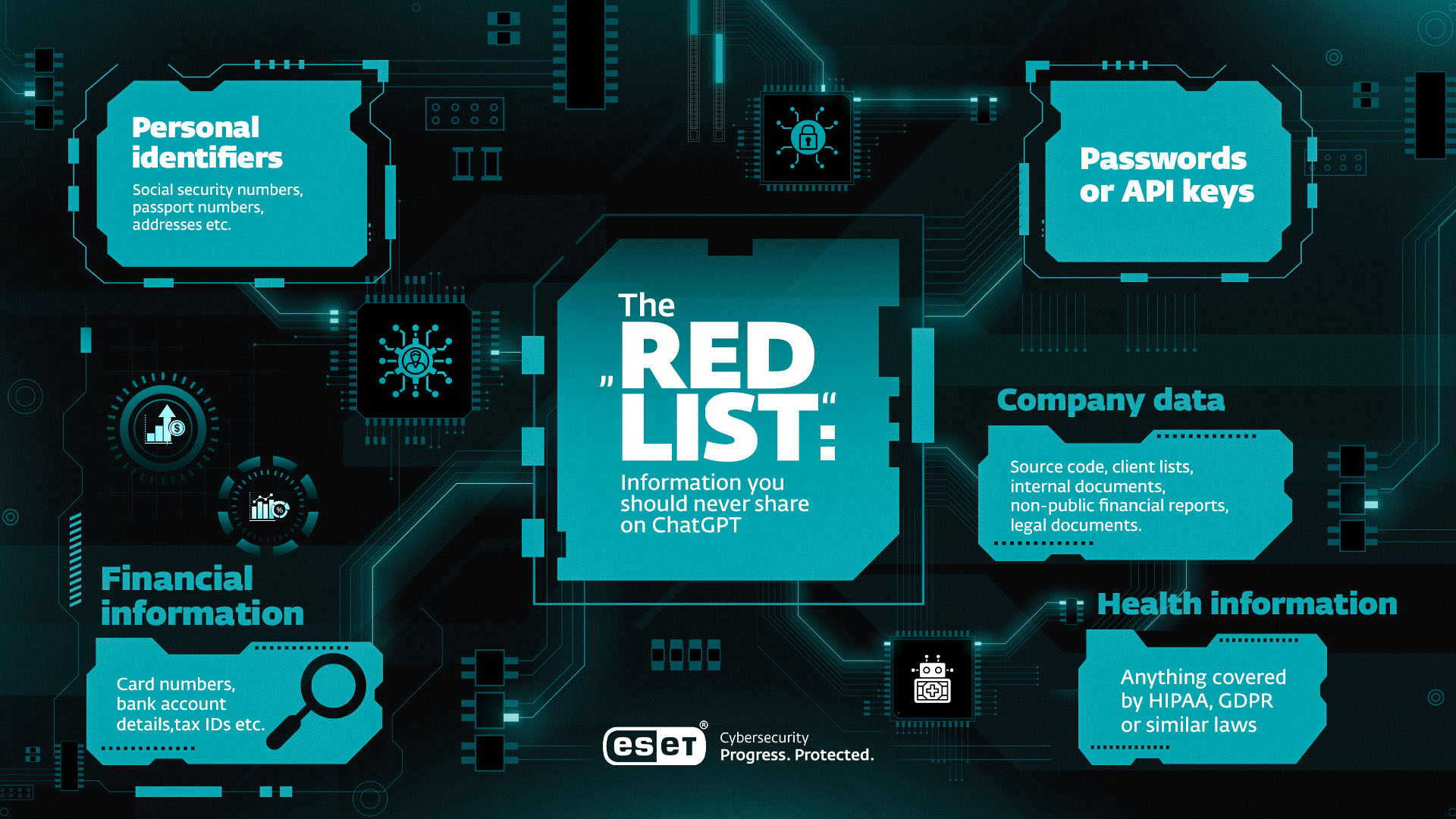
The “Red List”: Information you should never share
Treat every chat as if it might be shared publicly. Never enter:
Personal identifiers: Social security numbers, passport numbers, addresses, etc.
Financial information: Card numbers, bank account details, tax IDs, etc.
Passwords, API keys, or any other secrets (e.g. MFA tokens).
Company data: Source code, client lists, internal documents, non-public financial reports, legal documents.
Health information: Anything covered by HIPAA, GDPR or similar laws.
Ten good habits to protect your data
- Use only official platforms: chat.openai.com or the verified ChatGPT mobile app available on Google Play and Apple‘s App Store.
- Create a strong, unique password via a password manager.
- Enable Multi-Factor Authentication (MFA): Log in to your account. Select Settings → Security → Multi-Factor Authentication.
- Turn off data training: Settings → Data Controls → toggle off “Improve the model for everyone.”
- Use Temporary Chats (available on all versions) for sensitive topics – as these aren’t stored or used for training. To start a Temporary Chat, open a new chat and click the circular “Temporary” button in the top-right corner of the page.
- Follow the Red List as above.
- Use anonymized examples rather than providing real information/files in prompts.
- Use a VPN on public Wi-Fi to encrypt traffic.
- Delete chat history regularly (Settings → Data Controls → Clear History).
- Log out on shared devices so no one else can hijack your account.
How to turn off data training
- Log in to ChatGPT.
- Click your name (bottom left or top right).
- Go to Settings → Data Controls.
- Locate “Improve the model for everyone.”
- Toggle it OFF.
When this is disabled, OpenAI will no longer use your future conversations for model training. Combining this with the temporary chat function is the closest thing to a private chat on Free, Plus and Pro plans. Enterprise accounts already have model training off by default.
Safety tips for businesses, parents, and high-risk professions
Businesses
Public ChatGPT plans are not suitable for confidential data. ChatGPT Enterprise offers better levels of security and privacy. But a locally managed, open source AI chatbot would be a better option for the security-conscious business, although there would be extra management and deployment overheads to consider.
Feature Free / Plus Enterprise Model training Manual opt-out Disabled by default Data retention Chats saved until manually deleted Zero or custom retention possible Data ownership Shared license Customer owns data Compliance GDPR, CCPA, etc. SOC 2 Type 2 / GDPR / CCPA Access control Standard login, MFA MFA plus SSO / SAML integration, RBAC and domain verification
Parents
ChatGPT’s minimum age for users is 13 years. The main risks for teens are misinformation, over-reliance on the tool for homework, and possible exposure to inappropriate content. There are also cases of “AI psychosis” and chatbots reinforcing users’ delusions. Since October 2025, OpenAI’s Parental Controls let parents and carers monitor usage and apply content filters.
High-risk users
Doctors, lawyers, financial advisors, and others in high-risk professions should never input client or patient data into the public tool.
- Healthcare: Violates HIPAA – potential fines and license risk.
- Legal: Breaches attorney-client privilege.
- Financial advisors: May violate SEC, FINRA, GDPR and other regulations.
ChatGPT vs. the rest: Privacy comparison
Feature OpenAI ChatGPT Google Gemini Anthropic Claude Default training Opt-in (by default) Opt-in (by default) Opt-out (by default) Business version ChatGPT Enterprise Gemini for Workspace Claude Enterprise Business data use Zero retention possible Zero retention possible Zero retention possible Compliance SOC 2 Type 2, GDPR SOC 2 Type 2, GDPR, HIPAA SOC 2 Type 2, GDPR, HIPAA Data deletion Manual (user or admin) Auto-delete configurable (3–36 months) Manual
Takeaway: Anthropic’s Claude remains the most privacy-centric chatbot by default, but all enterprise-tier plans offer comparable protections when configured properly.
What to do if your ChatGPT account is hacked
1. Change your password immediately.
2. Enable MFA: Settings → Security → Multi-Factor Authentication.
3. Check API keys for unauthorized use and revoke any unknown ones.
4. Contact OpenAI Support to report the incident.
5. Review chat history for suspicious activity.
6. Log out from all other devices: Settings → Security.
7. Review any connected apps for suspicious activity and revoke unknown access.
8. Run anti-malware scans on your device(s)
Speed matters – the sooner you act, the lower the risk of further exposure.
The future of AI safety
AI regulation is accelerating. The EU AI Act will require new levels of transparency and data governance from providers. Expect OpenAI and its competitors to add on-device processing (which includes workload protection), more impactful user-controlled settings (which will be similar to Claude’s default settings), and real-time audit logs defined by relevant regulatory bodies.
Expert tips and insights
“While users have adopted large language models such as ChatGPT into their daily routines, the security and privacy risks connected with these services remain unclear. Despite this, many companies are quick to jump on the bandwagon, incorporating AI agents and off-the-shelf models from online marketplaces into their systems—often without fully understanding where these tools fit or how to protect users’ personal data.
This rush for convenience could lead to serious data breaches, privacy leaks, and unauthorized access, especially as businesses use “black box” AI models with unclear origins or training data. At the same time, AI-generated scams—such as deepfakes, fake reviews, and phishing emails—will become harder to spot, allowing even inexperienced criminals to run convincing frauds and influence campaigns.
AI-powered fake social media profiles and bots will blur the line between real and artificial, making it tougher to know what’s genuine online. As a result, users need to be more cautious than ever, as the services they trust may be using AI in ways that increase both convenience and risk, while industry standards for managing and securing these technologies struggle to keep up.“
- Juraj Jánošík, ESET Head of AI
Final verdict
So – is ChatGPT safe? Even if you take sensible precautions, AI and AI agents expand the attack surface and can expose you (and your organization) to extra risk. OpenAI has built some security into its products, but its business model still relies on data collection. Your security and privacy depend on how you manage that data.
Next steps:
- Go to Settings → Security and turn on Multi-Factor Authentication (MFA).
- Go to Settings → Data Controls and toggle off “Improve the model for everyone.”
- For sensitive topics, use Temporary Chats and regularly Clear History.
- Share this guide with your team to avoid any “Shadow AI” incidents.
Managed responsibly, ChatGPT can be a powerful and reasonably safe tool. But only when you stay in control of your own data.
Let AI do its best for you - securely. Take the next step with AI-powered threat detection in ESET HOME Security. Protect your devices and data while you explore the power of ChatGPT.
- Using ChatGPT on mobile? Download ESET Mobile Security for Android - available as a standalone app or included in your ESET HOME Security subscription.
- Running ChatGPT for work? ESET Small Business Security keeps your business safe.

Frequently asked questions
Is ChatGPT confidential?
Not by default. Data is used for model training and authorized OpenAI reviewers can access some chats for safety and annotation. Turning off data training and using Temporary Chats offer some level of confidentiality, similarly to the use of ChatGPT Business or Enterprise.
Does OpenAI sell my data?
No. OpenAI states it does not sell user data but may use it for service improvements and share limited information with vendors (e.g., payment processors).
Is the ChatGPT app safe?
Yes – if it is the official app published by OpenAI. Always check the developer name before downloading. And only use official app stores (Google Play, Apple App Store)
Why does ChatGPT need my phone number?
For one-time verification to prevent spam and bot account abuse.
Is ChatGPT HIPAA and GDPR compliant?
Not out of the box. For HIPAA, Free and Plus versions are not compliant. Only Enterprise accounts covered by a signed Business Associate Agreement (BAA) can meet HIPAA standards. For GDPR, it depends on how you use the chatbot. Businesses must at least use ChatGPT Enterprise, ChatGPT Business, or an API with a signed Data Processing Addendum (DPA) to minimize the risk of noncompliance. But even so, this is no silver bullet.
Can ChatGPT be hacked?
Yes. Like any online service, its backend faces possible breaches. Plus, your account could be hacked unless you follow password best practices combined with MFA and phishing awareness.
What data should I not share on ChatGPT?
Consider every prompt as public. For example never type in personal, financial or health information, passwords, or sensitive corporate data.
What should I do if my account is hacked?
Change your passwords, switch on MFA and notify OpenAI. Log out on all devices, run anti-malware scans and look out for suspicious activity.