
Multiplatform
free trials
ESET Home Security offers a range of multiplatform, all-in-one protection plans. These include several different security solutions for various operating systems.
Home protection
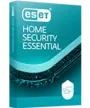
Multilayered security with Antivirus, safe payments, and scam protection—includes AI interaction security.
No credit card required
- Real-time antivirus protectionWay more than just Antivirus! Our security shields you from malware, theft, AI-driven scams, phishing, ransomware, and more.
- Seamless device performance Enjoy fast scans without interruption. Our Small System Footprint saves bandwidth and extends the life of your hardware—great for gaming and entertainment!
- AI-powered threat detection Uses advanced artificial intelligence to proactively detect and block malware, ransomware, phishing, and other emerging threats in real time.
- Smarter protection for AI-powered computers ESET keeps your devices safe while leveraging their AI capabilities for faster, more efficient threat prevention.
- AI interaction security Use AI tools and agents with confidence. ESET uses advanced monitoring and expert-driven detection to spot suspicious AI behavior and stop emerging threats before they put your device or data at risk.
- Anti-Phishing Safeguard your privacy and your data. Anti-Phishing shields you from scams and fake websites attempting to access sensitive information or feed you fake news.
- Safe banking and browsingBank, shop, and connect with ease. Safeguard screens from unwanted access and use our secured browser mode to boost privacy and avoid phishing scams.
- Smart home and smartphone protection Protect everything from PCs, laptops, and smartphones to smart TVs and IoT devices. Lock and track missing devices, secure access to your webcam, and monitor microphone activity for enhanced privacy and control.
- Firewall, Wi-Fi and network shield Filter unwanted content, secure access to your network, and test your home router and smart devices for vulnerabilities.
- Unlimited VPN data Shield your connection and prevent unwanted tracking—anytime, anywhere. Enjoy unlimited bandwidth for endless access to your favorite online content.
Ultimate plan for 11–25 protected devices → Up to 25 individual VPN connections + 1 active VPN for Router setup
Ultimate plan for 1–10 protected devices → Up to 10 individual VPN connections + 1 active VPN for Router setup
Premium plan for 11–25 protected devices → Up to 5 individual VPN connections
Premium plan for 1–10 protected devices → Up to 3 individual VPN connections - Encryption of sensitive data and photos Keep your files and USBs safe with military-grade encryption. Safely share your data with others.
- Elevated file and folder security Protect valuable data by allowing only trusted applications to modify your folders.
- Safer AI Chats Protect your AI chats from unsafe links and scripts. ESET scans AI-generated responses to proactively block phishing, malware, and scams.
- Enhanced browser & privacy protection Easily manage website notifications and permissions, and remove metadata from images uploaded to your browser—details like capture time and location.
- Ransomware file recovery Keep your data untouchable: block zero-day ransomware, isolate threats, back up your data automatically, and restore everything in moments if encryption ever slips through.
- Proactive Identity Protection Safeguard your digital identity and prevent identity theft. Monitor your credit score, scan the dark web for data leaks, and rely on 24/7 recovery services.
- Dark web scanning Scanning thousands of websites, including those on the Dark Web, blogs and other data sources to detect the illegal trading of your personal information.
- Credit Report Monitoring Instant online access to your credit reports and scores from one credit bureau, so you can spot mistakes and fraudulent activity.
- Social Media Identity Monitoring Monitor your Facebook, Twitter, YouTube, and Instagram accounts for inappropriate activity and posts that could be perceived as violent.
- Identity Threat Alert Keep you updated on major data breaches, identity theft incidents, and new identity theft laws.
- SSN Tracking
- Lost Wallet Assistance Quickly cancel and replace credit, debit, and ATM cards if your wallet is lost or stolen. You’ll have peace of mind knowing you can stop fraudulent charges and order replacement credit cards by easily accessing your information online with Lost Wallet Assistance.
- Identity recovery + $1M insurance Restoration services from Certified Protection Experts, based in the U.S., who are available 24/7.
- VPN for Router Protects every device on your home network with one setup. Encrypts all internet traffic for safer browsing, streaming, and smart home use—no need to install apps on each device.
MOST FAVORITE
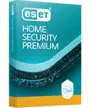
Advanced protection with encryption of sensitive files, and AI chat and interaction security.
No credit card required
- Real-time antivirus protection Way more than just Antivirus! Our security shields you from malware, theft, AI-driven scams, phishing, ransomware, and more.
- Seamless device performance Enjoy fast scans without interruption. Our Small System Footprint saves bandwidth and extends the life of your hardware—great for gaming and entertainment!
- AI-powered threat detection Uses advanced artificial intelligence to proactively detect and block malware, ransomware, phishing, and other emerging threats in real time.
- Smarter protection for AI-powered computers ESET keeps your devices safe while leveraging their AI capabilities for faster, more efficient threat prevention.
- AI interaction security Use AI tools and agents with confidence. ESET uses advanced monitoring and expert-driven detection to spot suspicious AI behavior and stop emerging threats before they put your device or data at risk.
- Anti-Phishing Safeguard your privacy and your data. Anti-Phishing shields you from scams and fake websites attempting to access sensitive information or feed you fake news.
- Safe banking and browsingBank, shop, and connect with ease. Safeguard screens from unwanted access and use our secured browser mode to boost privacy and avoid phishing scams.
- Smart home and smartphone protection Protect everything from PCs, laptops, and smartphones to smart TVs and IoT devices. Lock and track missing devices, secure access to your webcam, and monitor microphone activity for enhanced privacy and control.
- Firewall, Wi-Fi and network shield Filter unwanted content, secure access to your network, and test your home router and smart devices for vulnerabilities.
- Encryption of sensitive data and photos Keep your files and USBs safe with military-grade encryption. Safely share your data with others.
- Elevated file and folder security Protect valuable data by allowing only trusted applications to modify your folders.
- Safer AI Chats Protect your AI chats from unsafe links and scripts. ESET scans AI-generated responses to proactively block phishing, malware, and scams.
- Unlimited VPN data AVAILABLE ONLY ON PAID PLAN
Shield your connection and prevent unwanted tracking—anytime, anywhere. Enjoy unlimited bandwidth for endless access to your favorite online content.
Ultimate plan for 11–25 protected devices → Up to 25 individual VPN connections + 1 active VPN for Router setup
Ultimate plan for 1–10 protected devices → Up to 10 individual VPN connections + 1 active VPN for Router setup
Premium plan for 11–25 protected devices → Up to 5 individual VPN connections
Premium plan for 1–10 protected devices → Up to 3 individual VPN connections
- Enhanced browser & privacy protection Easily manage website notifications and permissions, and remove metadata from images uploaded to your browser—details like capture time and location.
- Ransomware file recovery Keep your data untouchable: block zero-day ransomware, isolate threats, back up your data automatically, and restore everything in moments if encryption ever slips through.
- Proactive Identity Protection Safeguard your digital identity and prevent identity theft. Monitor your credit score, scan the dark web for data leaks, and rely on 24/7 recovery services.
- Dark web scanning Scanning thousands of websites, including those on the Dark Web, blogs and other data sources to detect the illegal trading of your personal information.
- Credit Report Monitoring Instant online access to your credit reports and scores from one credit bureau, so you can spot mistakes and fraudulent activity.
- Social Media Identity Monitoring Monitor your Facebook, Twitter, YouTube, and Instagram accounts for inappropriate activity and posts that could be perceived as violent.
- Identity Threat Alert Keep you updated on major data breaches, identity theft incidents, and new identity theft laws.
- SSN Tracking
- Lost Wallet Assistance Quickly cancel and replace credit, debit, and ATM cards if your wallet is lost or stolen. You’ll have peace of mind knowing you can stop fraudulent charges and order replacement credit cards by easily accessing your information online with Lost Wallet Assistance.
- Identity recovery + $1M insurance Restoration services from Certified Protection Experts, based in the U.S., who are available 24/7.
- VPN for Router Protects every device on your home network with one setup. Encrypts all internet traffic for safer browsing, streaming, and smart home use—no need to install apps on each device.
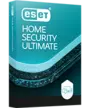
Top protection with AI interaction security, VPN for Router, Identity Protection, and Ransomware Remediation.
- Real-time antivirus protectionWay more than just Antivirus! Our security shields you from malware, theft, AI-driven scams, phishing, ransomware, and more.
- Seamless device performance Enjoy fast scans without interruption. Our Small System Footprint saves bandwidth and extends the life of your hardware—great for gaming and entertainment!
- AI-powered threat detection Uses advanced artificial intelligence to proactively detect and block malware, ransomware, phishing, and other emerging threats in real time.
- Smarter protection for AI-powered computers ESET keeps your devices safe while leveraging their AI capabilities for faster, more efficient threat prevention.
- AI interaction security Use AI tools and agents with confidence. ESET uses advanced monitoring and expert-driven detection to spot suspicious AI behavior and stop emerging threats before they put your device or data at risk.
*Essential, Premium, and Ultimate plans provide advanced AI security capabilities powered by specialized AI technologies. ESET NOD32 includes limited AI security capabilities, powered by ESET’s existing multilayered technologies. - Anti-Phishing Safeguard your privacy and your data. Anti-Phishing shields you from scams and fake websites attempting to access sensitive information or feed you fake news.
- Safe banking and browsingBank, shop, and connect with ease. Safeguard screens from unwanted access and use our secured browser mode to boost privacy and avoid phishing scams.
- Smart home and smartphone protection Protect everything from PCs, laptops, and smartphones to smart TVs and IoT devices. Lock and track missing devices, secure access to your webcam, and monitor microphone activity for enhanced privacy and control.
- Firewall, Wi-Fi and network shield Filter unwanted content, secure access to your network, and test your home router and smart devices for vulnerabilities.
- Unlimited VPN data Shield your connection and prevent unwanted tracking—anytime, anywhere. Enjoy unlimited bandwidth for endless access to your favorite online content.
Ultimate plan for 11–25 protected devices → Up to 25 individual VPN connections + 1 active VPN for Router setup
Ultimate plan for 1–10 protected devices → Up to 10 individual VPN connections + 1 active VPN for Router setup
Premium plan for 11–25 protected devices → Up to 5 individual VPN connections
Premium plan for 1–10 protected devices → Up to 3 individual VPN connections - Encryption of sensitive data and photos Keep your files and USBs safe with military-grade encryption. Safely share your data with others.
- Elevated file and folder security Protect valuable data by allowing only trusted applications to modify your folders.
- Safer AI Chats Protect your AI chats from unsafe links and scripts. ESET scans AI-generated responses to proactively block phishing, malware, and scams.
- Enhanced browser & privacy protection Easily manage website notifications and permissions, and remove metadata from images uploaded to your browser—details like capture time and location.
- Ransomware file recovery Keep your data untouchable: block zero-day ransomware, isolate threats, back up your data automatically, and restore everything in moments if encryption ever slips through.
- Proactive Identity Protection Safeguard your digital identity and prevent identity theft. Monitor your credit score, scan the dark web for data leaks, and rely on 24/7 recovery services.
- Dark web scanning Scanning thousands of websites, including those on the Dark Web, blogs and other data sources to detect the illegal trading of your personal information.
- Credit Report Monitoring Instant online access to your credit reports and scores from one credit bureau, so you can spot mistakes and fraudulent activity.
- Social Media Identity Monitoring Monitor your Facebook, Twitter, YouTube, and Instagram accounts for inappropriate activity and posts that could be perceived as violent.
- Identity Threat Alert Keep you updated on major data breaches, identity theft incidents, and new identity theft laws.
- SSN Tracking
- Lost Wallet Assistance Quickly cancel and replace credit, debit, and ATM cards if your wallet is lost or stolen. You’ll have peace of mind knowing you can stop fraudulent charges and order replacement credit cards by easily accessing your information online with Lost Wallet Assistance.
- Identity recovery + $1M insurance Restoration services from Certified Protection Experts, based in the U.S., who are available 24/7.
- VPN for Router Protects every device on your home network with one setup. Encrypts all internet traffic for safer browsing, streaming, and smart home use—no need to install apps on each device.
*Protected operating systems:
One subscription can cover multiple devices
The complete set of available features will vary depending on the operating system.
Small office protection
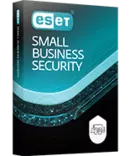
Seamless protection of payments and sensitive data. Block AI-powered scams and work safely with AI tools. Safeguard email and cloud files, secure servers, and remediate ransomware.
No credit card required
- Real-time antivirus protection Way more than just Antivirus! Our security shields you from malware, theft, AI-driven scams, phishing, ransomware, and more.
- Seamless device performance Enjoy fast scans without interruption. Our Small System Footprint saves bandwidth and extends the life of your hardware—great for gaming and entertainment!
- AI-powered threat detection Uses advanced artificial intelligence to proactively detect and block malware, ransomware, phishing, and other emerging threats in real time.
- Smarter protection for AI-powered computers ESET keeps your devices safe while leveraging their AI capabilities for faster, more efficient threat prevention.
- AI interaction security Use AI tools and agents with confidence. ESET uses advanced monitoring and expert-driven detection to spot suspicious AI behavior and stop emerging threats before they put your device or data at risk.
- Anti-Phishing Safeguard your privacy and your data. Anti-Phishing shields you from scams and fake websites attempting to access sensitive information or feed you fake news.
- Safe banking and browsingBank, shop, and connect with ease. Safeguard screens from unwanted access and use our secured browser mode to boost privacy and avoid phishing scams.
- Smart home and smartphone protection Protect everything from PCs, laptops, and smartphones to smart TVs and IoT devices. Lock and track missing devices, secure access to your webcam, and monitor microphone activity for enhanced privacy and control.
- Firewall, Wi-Fi and network shield Filter unwanted content, secure access to your network, and test your home router and smart devices for vulnerabilities.
- Encryption of sensitive data and photos Keep your files and USBs safe with military-grade encryption. Safely share your data with others.
- Elevated file and folder security Protect valuable data by allowing only trusted applications to modify your folders.
- Safer AI Chats Protect your AI chats from unsafe links and scripts. ESET scans AI-generated responses to proactively block phishing, malware, and scams.
- Enhanced browser & privacy protection Easily manage website notifications and permissions, and remove metadata from images uploaded to your browser—details like capture time and location.
- Ransomware file recovery Keep your data untouchable: block zero-day ransomware, isolate threats, back up your data automatically, and restore everything in moments if encryption ever slips through.
- VPN for Router Protects every device on your home network with one setup. Encrypts all internet traffic for safer browsing, streaming, and smart home use—no need to install apps on each device.
- Windows Server protection Protect customer and company data on file servers and defend against ransomware and botnets.
- Security for work and home Keep your work and personal devices safe with this seamless, easy-to-manage solution.
- Unlimited VPN data AVAILABLE ONLY ON PAID PLAN
Shield your connection and prevent unwanted tracking—anytime, anywhere. Enjoy unlimited bandwidth for endless access to your favorite online content.
Ultimate plan for 11–25 protected devices → Up to 25 individual VPN connections + 1 active VPN for Router setup
Ultimate plan for 1–10 protected devices → Up to 10 individual VPN connections + 1 active VPN for Router setup
Premium plan for 11–25 protected devices → Up to 5 individual VPN connections
Premium plan for 1–10 protected devices → Up to 3 individual VPN connections
*Protected operating systems:
One subscription can cover multiple devices
The complete set of available features will vary depending on the operating system.
Celebrated by experts. Loved by users. Trusted by millions.

Frequently Asked Questions
Why is ESET considered one of the best free antivirus trials?
ESET combines multilayered security with exceptionally lightweight performance. Independent testing labs consistently recognize ESET for strong malware detection and minimal system impact. The free trial gives you full access to all core features, so you can experience the complete product before deciding to purchase.
Who is this free trial best for?
This trial is ideal for:
- Users comparing antivirus solutions
- Gamers who need fast, lightweight protection
- Remote workers handling sensitive data
- People who do online banking or shopping
- Families securing multiple devices
If you want to test full protection before buying, this trial is made for you.
How long does the free trial last?
The trial lasts 30 days. After that, you can upgrade to full protection, which includes a 30‑day money‑back guarantee.
Do I need to enter my payment details?
No. You can start the free trial without entering any credit card information.
What happens after the free trial ends?
When the 30‑day trial ends, you won’t be charged automatically. There’s no billing and no hidden fees. You can choose to:
- Continue with a paid subscription
- Switch to another ESET plan
- Uninstall the software
Is this a full internet security trial?
Yes. Your trial includes:
- Real‑time Antivirus and antimalware
- Ransomware protection
- Phishing protection
- Firewall for your PC and Mac
To keep using the complete Premium feature set (including VPN), you’ll need a paid subscription after the trial. A 30‑day money‑back guarantee applies.
How do I install ESET Mobile security?
- Visit the Google Play Store or App Store.
- Search for "ESET Mobile Security."
- Tap "Install" and follow the on-screen instructions.
- Open the app and enjoy premium features free for 30 days.
Will the antivirus trial slow down my system?
ESET is optimized for low system impact. It runs quietly in the background, scans quickly and leaves more power for your apps and games. Compared to heavier free antivirus options, ESET typically feels faster, uses fewer resources and causes fewer interruptions.
How many devices can I protect with the free trial?
ESET HOME Security Premium trial: 1 device
ESET HOME Security Essential trial: 1 device
ESET Small Business Security trial: up to 5 devices
You can add more devices anytime by upgrading to the full version.
Note: VPN is not included in the trial versions of ESET HOME Security Premium or ESET Small Business Security.
Can I use the trial if another antivirus is installed?
To avoid conflicts or performance issues, you should uninstall your existing antivirus before installing ESET.
If you have trouble removing it, you can use ESET’s official Windows removal tools: https://support.eset.com/en/kb146-uninstallers-removal-tools-for-common-windows-antivirus-software#Uninstallers
Is the antivirus free trial safe?
Yes. The available trials use the same secure, fully tested product versions as the paid subscriptions.
How do I uninstall ESET after the trial?
You can remove ESET at any time through your device's standard app removal process.
Will the ESET free trial work on my device?
ESET Mobile Security supports:
- Android devices running Android 9.0 and higher.
- iOS devices running iOS 18 and higher.
The Multiplatform free trial can be used on:
- Windows 10, Windows 11 or newer
- macOS 13 or newer
After the trial, a paid subscription will let you protect multiple devices, including:
- Windows PCs
- Mac computers
- Android smartphones and tablets
- iOS devices
Note: Some features may work differently or be limited on macOS compared to Windows.
Thank You for Downloading
Set up your ESET trial in 3 easy steps:
- Click the downloaded file to start installation
- Sign in or Create ESET HOME security management account
- Finish installation by clicking on Try for free button
Your download of file eset_smart_security_premium_live_installer.exe has automatically started. If your download does not start automatically, please click here.
Thank You for Downloading
Set up your ESET trial in 3 easy steps:
- Click the downloaded file to start installation
- Sign in or Create ESET HOME security management account
- Finish installation by clicking on Try for free button
Your download of file eset_internet_security_live_installer.exe has automatically started. If your download does not start automatically, please click here.
Thank You for Downloading
Set up your ESET trial in 3 easy steps:
- Click the downloaded file to start installation
- Sign in or Create ESET HOME security management account
- Finish installation by clicking on Try for free button
Your download of file eset_nod32_antivirus_live_installer.exe has automatically started. If your download does not start automatically, please click here.
Thank You for Downloading
Set up your ESET trial in 3 easy steps:
- Click the downloaded file to start installation
- Sign in or Create ESET HOME security management account
- Finish installation by clicking on Try for free button
Your download of file eset_cybersecurity_pro_en.dmg has automatically started. If your download does not start automatically, please click here.
Thank You for Downloading
Set up your ESET trial in 3 easy steps:
- Click the downloaded file to start installation
- Sign in or Create ESET HOME security management account
- Finish installation by clicking on Try for free button
Your download of file eset_cybersecurity.dmg has automatically started. If your download does not start automatically, please click here.
Thank You for Downloading
Set up your ESET trial in 3 easy steps:
- Click the downloaded file to start installation
- Sign in or Create ESET HOME security management account
- Finish installation by clicking on Try for free button
Your download of file eset_nod32av_32bit_en.linux has automatically started. If your download does not start automatically, please click here.