التقط. انقر. آمن.
تعرف على ESET VPN الجديد

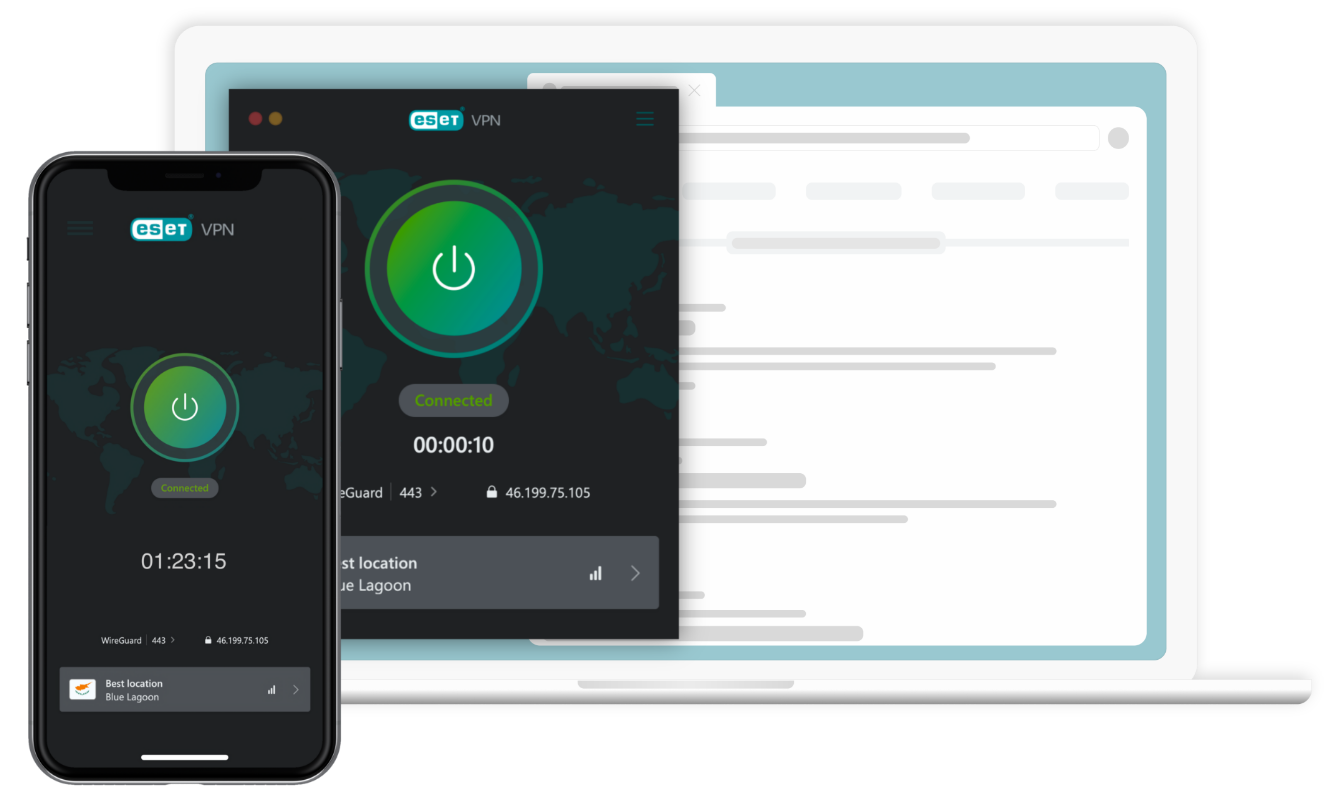
يأخذ ESET VPN ESET HOME Security Ultimate إلى المستوى التالي. إنه درعك الشامل للحياة الرقمية ، مع حماية كاملة من الفيروسات ومدفوعات آمنة ومدير كلمات المرور. بالإضافة إلى ذلك ، كل مزايا VPN التي تبحث عنها.
Disconnected

WireGuard | 443 >

188.167.250.238

VPN داخل ESET Home Security Ultimate

  • نطاق ترددي غير محدود

  • حماية Wi-Fi العامة

  • إلغاء قفل المحتوى المقيد جغرافيًا

  • سياسة عدم الاحتفاظ بالسجلات

وأكثر من ذلك بكثير

لأجهزة الكمبيوتر الشخصية وmacOS والهواتف الذكية والأجهزة اللوحية

 How many VPNs will I get after purchasing? If you purchase ESET HOME Security Ultimate for 5-10 seats, you can activate the VPN on up to 10 devices.

If you purchase ESET HOME Security Ultimate for 11-25 seats, you can activate the VPN on up to 25 devices.

30-day money-back guarantee

لأجهزة الكمبيوتر الشخصية وmacOS والهواتف الذكية والأجهزة اللوحية

& كم عدد الشبكات الافتراضية الخاصة التي سأحصل عليها بعد الشراء؟ إذا قمت بشراءESET HOME Security Ultimate مقابل 5-10 مقاعد، فيمكنك تنشيطVPN على ما يصل إلى 10 أجهزة.

إذا قمت بشراءESET HOME Security Ultimate لـ 11-25 مقعدًا، يمكنك تنشيط VPN على ما يصل إلى 25 جهازًا.

ضمان استرداد الأموال لمدة 30 يوما

مجموعة أدوات الدفاع الرقمي المثالية

تعزيز الخصوصية وإخفاء الهوية

  • سياسة عدم الاحتفاظ بالسجلات
  • حماية تسرب DNS
  • حماية انتحال MAC

أمان قوي
 

  • حماية Wi-Fi العامة
  • جدار الحماية مع مفتاح الإيقاف التلقائي
  • يشفر النشاط عبر الإنترنت

تحكم المستخدم والتخصيص

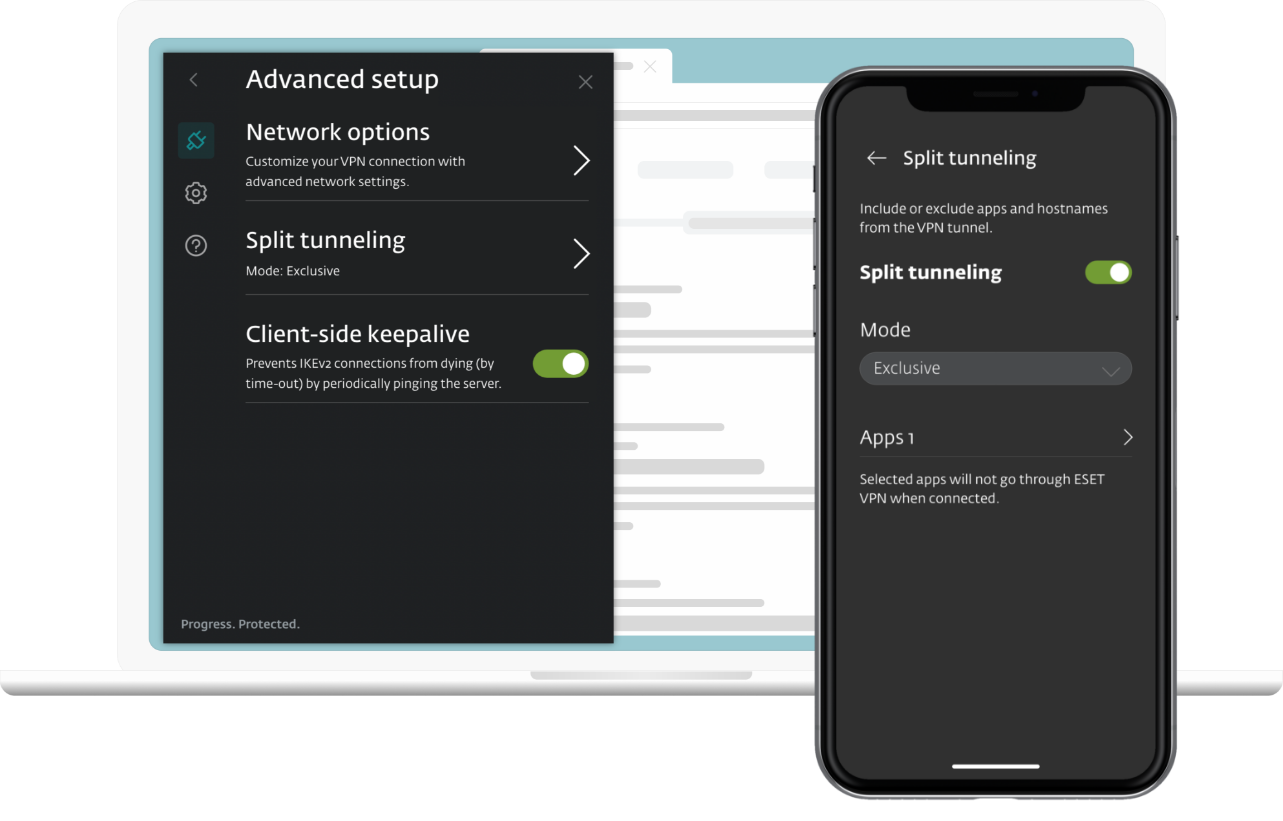
  • الانقسام النفقي
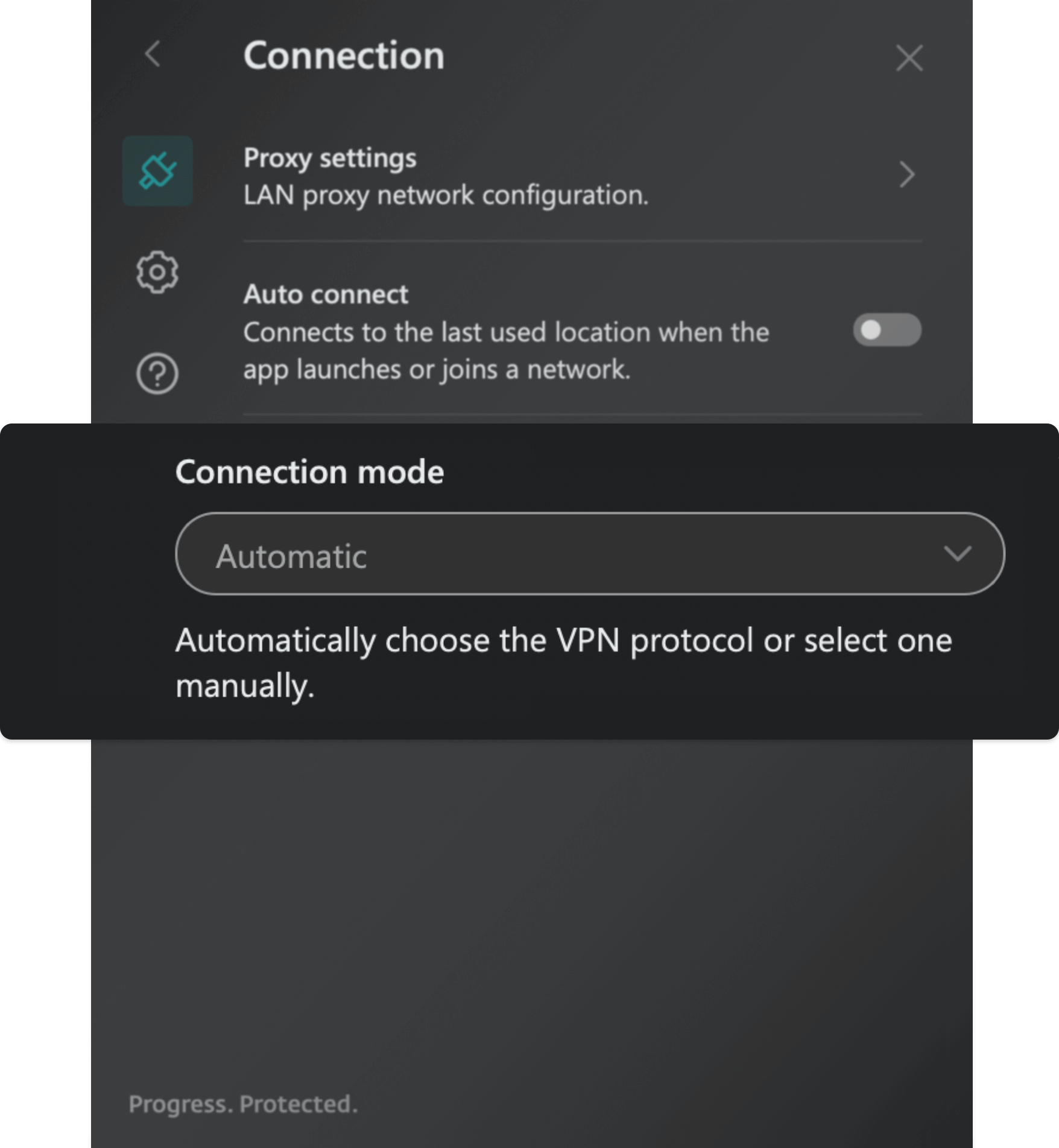
  • تكوين إعدادات الوكيل

إمكانية الوصول إلى المحتوى والحرية

  • أكثر من 60 موقعا للاختيار من بينها
  • تجاوز التقييد الجغرافي
  • نطاق ترددي غير محدود

أكثر من مجرد VPN

  • حماية كاملة من الفيروسات
  • الخدمات المصرفية الآمنة والتصفح الآمن
  • مدير كلمات المرور

حماية الهوية
 

  • مراقبة الويب المظلم

تعزيز الخصوصية وإخفاء الهوية

تمتع بأقصى درجات الخصوصية والسرية مع ESET VPN. فهو يتضمن سياسة صارمة بعدم الاحتفاظ بالسجلات وحماية تسرب DNS وأمان انتحال عنوان MAC، مما يضمن حماية هويتك عبر الإنترنت دائمًا.

التعرف على المزيد
  • سياسة عدم الاحتفاظ بالسجلات: تضمن عدم تتبع أنشطتك عبر الإنترنت أو تخزينها مطلقًا.
  • حماية تسرب DNS: تضمن بقاء استعلامات DNS الخاصة بك آمنة، وحماية هويتك عبر الإنترنت. سطح المكتب فقط
  • حماية انتحال عنوان MAC: تحمي عنوان MAC الفعلي لجهازك من التعرض على الشبكات العامة أو المعادية. سطح المكتب فقط

حماية الهوية

منع سرقة الهوية باستخدام مراقبة الويب المظلم. تعمل هذه الوظيفة على فحص آلاف المواقع الإلكترونية والأسواق والمدونات وغيرها بحثًا عن الخروقات ومعلومات العملاء المسربة.

أمان قوي

عزز أمانك عبر الإنترنت باستخدام حماية شبكة Wi-Fi العامة، وتأكد من الأمان دون انقطاع باستخدام مفتاح الإيقاف، واحتفظ ببياناتك الخاصة سرية بفضل التشفير القوي للأنشطة عبر الإنترنت.

التعرف على المزيد
  • حماية شبكة Wi-Fi العامة: تمنع المتسللين من سرقة بياناتك على الشبكات غير الآمنة.
  • جدار الحماية مع مفتاح الإيقاف: يحظر تلقائيًا جميع اتصالات الإنترنت في حالة انقطاع اتصال VPN، مما يمنع تسرب البيانات. سطح المكتب فقط
  • تشفير النشاط عبر الإنترنت: يحافظ على أمان بيانات الإنترنت وخصوصيتها، مما يمنع الوصول غير المصرح به.

تحكم المستخدم والتخصيص

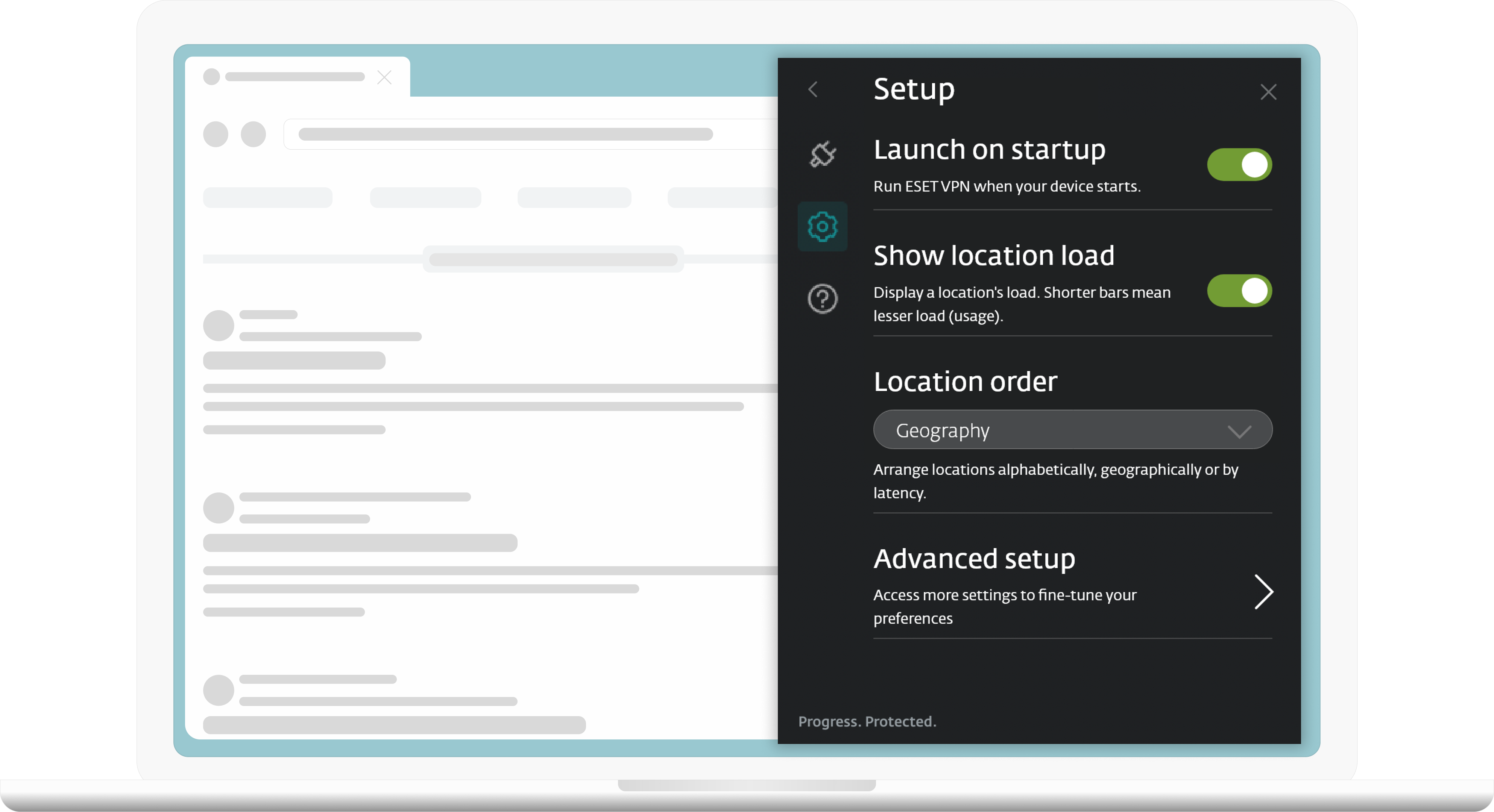
قم بتخصيص تجربة VPN الخاصة بك لتناسب احتياجاتك وتفضيلاتك. اختر تطبيقات محددة باستخدام Split Tunneling وقم بتكوين إعدادات الوكيل للبيئات المقيدة بالشبكة، مثل المدارس أو أماكن العمل.

التعرف على المزيد
  • تقسيم الأنفاق: يوفر المرونة لاختيار التطبيقات التي يتم تشغيلها عبر VPN. سطح المكتب وAndroid
  • تكوين إعدادات الوكيل: يسمح للمستخدمين بتكوين إعدادات الوكيل للشبكة. مفيد للبيئات المقيدة بالشبكة مثل المدارس أو أماكن العمل. سطح المكتب فقط

استكشف العالم: 60 دولة في متناول يدك

يحدد تطبيقنا تلقائيا أسرع خادم بالموقع الأمثل لك. جرب وصولا عالميا سلسا مع مواقع خوادم متعددة في مختلف البلدان. استمتع بميزات مثل البحث السريع وقائمة المفضلة لسهولة الوصول إلى أفضل اختياراتك ، كل ذلك داخل تطبيق واحد.

  • استمتع بالمحتوى المفضل لديك على منصات البث المختلفة
  • الوصول إلى المواقع الإلكترونية والمعلومات غير المتوفرة في بلدك
  • كل ذلك يأتي مع نطاق ترددي غير محدود

بروتوكولات اتصال متعددة الاستخدامات

قم بتخصيص أمانك من خلال مجموعة بروتوكولات VPN الخاصة بنا. سواء كنت تفضل متانة OpenVPN أو سرعة WireGuard® ، اختر البروتوكول الذي يناسب احتياجاتك لحماية آمنة وسريعة وموثوقة عبر الإنترنت.


  • WireGuard®  بروتوكول اتصال مجاني مفتوح المصدر. وهو أسرع عادةً من OpenVPN (يُطلق عليه UDP وTCP في التطبيقات) وأكثر مرونة من IKEv2، مما يجعله خيارًا رائعًا لتأمين نشاط المستخدم عبر الإنترنت.

  • IKEv2 (IPsec)  IKEv2 هو بروتوكول نفق يوفر جلسة تبادل مفتاح آمنة مقترنة بـ IPsec لضمان تشفير البيانات والمصادقة. وهو عادةً الأسرع، ولكن يمكن حظره بسهولة.

  • UDP (OpenVPN)  يستخدم هذا الوضع بروتوكول OpenVPN. عادةً ما يكون UDP أسرع بروتوكول لتشغيل OpenVPN عليه نظرًا لقلة التحقق من البيانات، ولكن يمكن حظره بسهولة أيضًا.

  • TCP (OpenVPN)  يستخدم هذا الوضع بروتوكول OpenVPN. نظرًا لعمليات التحقق المتعددة من البيانات، فقد يكون أبطأ ولكنه أكثر مرونة في مواجهة ظروف الشبكة السيئة ويضمن اتصالات مستقرة.

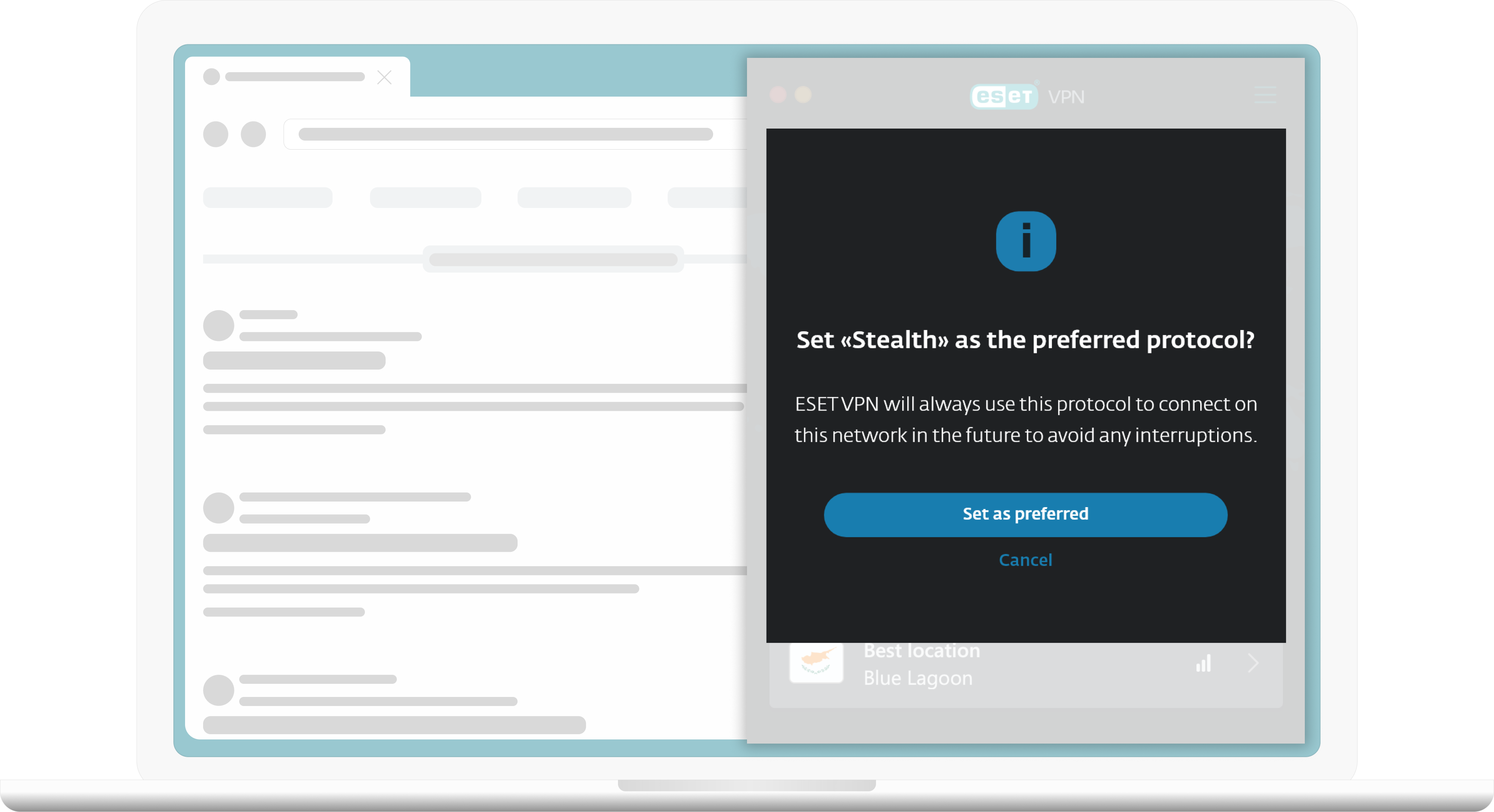
  • Stealth  يغلف OpenVPN في نفق TLS عبر Stunnel. وهو عبارة عن نفق OpenVPN مقنع ليبدو وكأنه حركة مرور HTTPS. يوصى باستخدام هذا البروتوكول في حالة فشل جميع الطرق الأخرى.

  • Wstunnel  يغلف OpenVPN في WebSocket. يوصى باستخدام هذا البروتوكول في حالة فشل جميع الطرق الأخرى.

أمان ESET HOME هو أكثر بكثير من مجرد VPN

ESET VPN مضمن في
ESET HOME Security Ultimate

ما ستحصل عليه مع خطة الأمان النهائية:

  • حماية في الوقت الفعلي على مدار الساعة طوال أيام الأسبوع يتجاوز أماننا متعدد الطبقات مكافحة الفيروسات، حيث يحميك من جميع أنواع البرامج الضارة - أحصنة طروادة والفيروسات وبرامج التجسس والمزيد.
    متوفر أيضًا لنظام macOS.
  • معاملات مصرفية وتصفح آمنان على مدار الساعة حماية مستمرة ضد الاحتيال عبر الإنترنت باستخدام مكافحة التصيد الاحتيالي والمعاملات المالية المشفرة والإبلاغ عن نتائج البحث غير الآمنة.
  • تسجيل دخول آمن باستخدام مدير كلمات المرور كل ما عليك تذكره هو كلمة مرورك الرئيسية! قم بتخزين كلمات مرورك ومشاركتها بأمان عبر جميع الأجهزة.
    متوفر أيضًا لنظام macOS.

الأسئلة المتكررة

كيفية تنزيل ESET VPN؟

  1. Log in to your ESET HOME account.
  2. Click Security features in the Features section.
  3. Click Explore feature in the VPN tile.
  4. Select your ESET HOME Security Ultimate subscription and click Continue.
  5. Select a profile you want to protect and click Continue.
  6. Select the number of devices you want to protect and click Send instructions.
    • In this step, you will receive an email with VPN activation code.
    • Each VPN activation code is valid for 24 hours and can only be used on one device.
  7. Click Download VPN.
  8. Choose your operating system (Windows, MacOS, Android, or iOS) and click Download VPN.
    • For Windows or MacOS, double-click the installer file to start the installation and activation process.
    • For Android or iOS, you will be redirected to the Google Play Store or the App Store, respectively. Tap 'Install' to proceed.

كيفية تثبيت وتنشيط ESET VPN؟

  1. After downloading ESET VPN on your device, launch the installation file (for Windows or MacOS) or open the application (for Android or iOS).
  2. Click Continue. By clicking Continue, you accept the End User License Agreement and acknowledge the Privacy Policy.
  3. Type or copy/paste the VPN activation code you received in the email from ESET HOME and click Activate. Read more about managing of security features via User profiles in ESET HOME.
    • The Activation code consists of 10 characters, including capital letters and numbers, with an expiration time of 24 hours. If you try to activate the application after this time, it will return the status 'Activation code has expired.' In such cases, you need to request a new Activation code and activate the application within 24 hours.
  4. Select the desired location and change the protocol as needed. Click the power button to turn on the ESET VPN.
  5. Your ESET VPN is now connected.

Watch the step-by-step video guide on how to download and install ESET HOME Security.

هل يمكنني شراء ESET VPN بشكل منفصل؟?

No, ESET VPN is currently only available as part of the ESET Home Security Ultimate tier. This comprehensive package provides access to top-tier VPN services along with a complete suite of security features. While standalone purchase options are not available at this time, our priority is to offer users seamless and robust security solutions to protect their digital activities.

كم عدد الشبكات الافتراضية الخاصة التي سأحصل عليها بعد الشراء؟

Up to 10 devices
If you purchase ESET HOME Security Ultimate for 5-10 seats, you can activate the VPN on up to 10 devices. The number of devices you can protect with the VPN is always equal to or greater than the number of seats you purchase—so even when you purchase 5 seats, you can activate the VPN on up to 10 devices.

Up to 25 devices
If you purchase ESET HOME Security Ultimate for 11-25 seats, you can activate the VPN on up to 25 devices. The number of devices you can protect with the VPN is always equal to or greater than the number of seats you purchase—so even when you purchase 11 seats, you can activate the VPN on up to 25 devices.

ما هي الأجهزة التي يدعمها ESET VPN؟

Windows:
ESET HOME Security Ultimate with VPN runs on any PC or laptop with Microsoft Windows® 10, 11 and higher operating systems. It does not support the x86 processor.

macOS:
ESET HOME Security Ultimate with VPN runs on macOS 10.15 Catalina and higher operating systems.

Android:
ESET HOME Security Ultimate with VPN runs on Android 5.1 and higher operating systems. App available on Google Play store.

iOS:
ESET HOME Security Ultimate with VPN runs on iOS 11 and higher operating systems. Compatible with iPhone. Functional on iPad and iPod touch. App available on App store.

بصفتي عميلا حاليا، كيف يمكنني إضافة ESET VPN إلى اشتراكي؟

VPN is included within our ESET HOME Security Ultimate plan. You can purchase a new ESET HOME Security Ultimate subscription here or upgrade your current subscription at any time:

  1. Start by logging into your eStore account using your Activation key or License key.
  2. Click on the green "Extend" or "Renew" button.
  3. Select the Upgrade option displayed on the right side of the screen and click the "ACCEPT & UPGRADE" button.
    • If you're not offered ESET HOME Security Ultimate on this screen, click "Compare benefits" to find this plan, and click "UPGRADE NOW."
  4. Complete the checkout and then check your inbox for a confirmation email and further installation instructions.

ما هي VPN ولماذا أحتاجها؟

A virtual private network (VPN) is a commonly used method of securing communication over the internet. As opposed to a public network, in which data is transferred unencrypted, a VPN creates a tunnel between your computer and a private server and encrypts all communications that pass through it.

VPNs are a popular method of adding security to otherwise unencrypted communication between your computer and any web property. While VPNs have been in use for many years, their popularity has increased recently due to changes in privacy laws that dictate how Internet Service Providers (ISPs) and advertisers can use data they collect about your browsing history.

The ESET VPN feature is part of ESET Security Ultimate. Learn more about ESET HOME subscription tiers.

كيف تعمل VPN؟

When you connect to a location using the ESET VPN app, your device is assigned a new IP address, securing and encrypting your online traffic. This process, detailed in our blog post on how VPNs work, enhances your privacy by making it harder for third parties to track your activities online and steal data. The encryption occurs in real time, ensuring your information remains protected as you browse.

كم عدد مواقع خوادم VPN المختلفة التي تقدمها ESET VPN؟

ESET VPN offers a selection of 67 different countries, each with multiple potential server locations. View the full list of available countries within ESET VPN.

كيف أقوم بتغيير موقع VPN؟

  1. Open the ESET VPN application on your device.
  2. At the bottom of the main screen, you'll find a button displaying your currently selected location.
  3. Tap this button to choose a different location and, if necessary, change the protocol.
  4. Press the power button to activate ESET VPN.
  5. Your ESET VPN is now connected.

متى يجب علي استخدام ESET VPN؟

ESET VPN should be used whenever you're concerned about your online privacy and security, especially in scenarios where your internet connection might not be entirely secure. Here are some common situations when activating ESET VPN is highly recommended:

  1. Public Wi-Fi networks: Using public Wi-Fi, such as at cafes, airports, or hotels, can expose you to security risks. ESET VPN encrypts your connection, protecting your data from hackers and eavesdroppers.
  2. Remote work: If you're accessing your workplace's systems and sensitive data remotely, ESET VPN ensures that your connection to your company's network is secure, safeguarding both personal and company data.
  3. Privacy from ISPs: Your Internet Service Provider (ISP) can see everything you do online. ESET VPN hides your online activity, ensuring your privacy and preventing your ISP from tracking your browsing habits or throttling your internet speed based on usage.
  4. Accessing geo-restricted content: Whether you're traveling or living in a region with internet censorship, ESET VPN can help you bypass geo-blocks, allowing access to content from around the world, including streaming services, news websites, and social media platforms.
  5. Safe online banking and shopping: When managing your finances or shopping online, ESET VPN adds an extra layer of security, protecting your financial details from potential cyber threats.
  6. Gaming: ESET VPN can improve your gaming experience by reducing ping times, bypassing geo-restrictions on games, and protecting you from DDoS attacks.