Looking to protect your small office?
We offer simple yet powerful protection, designed with the small office in mind.
Secure your work and personal devices. Safeguard your privacy, data, servers and more.

ESET Smart Security Premium was replaced by ESET HOME Security Premium, keeping all the features you love.
Are you an existing customer?
Previously ESET Smart Security Premium
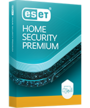
ESET HOME Security
PREMIUM
Enhanced privacy with secure storage for passwords and sensitive files.
+ Identity Protection & VPN
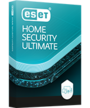
ESET HOME Security
ULTIMATE
Get the best plan for online Identity protection. Includes unlimited VPN.
If you currently have an active ESET Smart Security Premium subscription, it will continue to provide the usual protection until it expires. No immediate action is required on your part. When it's time for renewal, you will be given the option to convert your subscription to the ESET HOME Security Premium subscription tier. This ensures the continuity of your product and protection. This transition will not result in the loss of any features—instead, you will gain additional features and improvements.
Please note that to activate your protection using ESET HOME Security Premium, you need to register your device with your ESET HOME account. You can easily do this by following these simple steps.
You can install ESET Smart Security Premium by following these simple steps:
1. Visit the download page and click the “Get started” button.
2. Log in to your ESET HOME Account and click on the “Protect device” button. If you cannot see your subscription in the account, you can add it by clicking “Add subscription.”
3. Download and open the installer file and follow the on-screen instructions.
Alternatively, you can download the installer file directly on the page via “See detailed download options.” More details about product installation and activation can be found here.
This subscription has been replaced with our new all-in-one protection plan: ESET HOME Security Premium.
Using the same award-winning antivirus technology trusted by over 1+ billion users worldwide, our new all-in-one protection plans offer a range of options to suit the number of devices you wish to protect per year, and are compatible across all operating systems. Learn more about all recent privacy and identity enhancements here.
ESET Smart Security Premium is now part of our new all-in-one protection plan: ESET HOME Security Premium. You can download a free 30-day trial of our new subscription tiers here.
Yes! You can renew, enlarge or upgrade your subscription at any time. Please note, that during each of these transactions you’ll be asked to convert your subscription to the respective ESET HOME Security all-in-one protection plan.
1. Start by logging into your account using your activation key (XXXX-XXXX-XXXX-XXXX-XXXX).
2. To renew and enlarge your protection, select the “Extend” option and adjust the period or number of devices you’d like to cover.
3. To upgrade your protection, select the “Extend” option, click on the “Upgrade your subscription” link and choose the level of protection you’d like to switch to.
If these options are not present in your account, it’s likely that your license has already expired. If this is the case, we recommend purchasing a new all-in-one protection plan.
New sales of ESET Smart Security Premium subscription have been discontinued. Nevertheless, you can still maintain the same level of protection and product by opting for the ESET HOME Security Premium subscription tier, which includes the same features.
Auto-renew is continuous, unless you turn it off after your purchase, via your account. Turning off auto-renew will not cancel your subscription—your ESET protection will continue until it expires. We will notify you before expiration so that you may renew manually.
You may cancel automatic renewal at any time.
Windows:
ESET Security Ultimate, ESET Smart Security Premium, ESET Internet Security, ESET NOD32 Antivirus and VPN run on any computer with Microsoft Windows® 10, 11 and higher operating systems.
macOS:
ESET Cyber Security and VPN run on macOS 12 and higher operating systems.
Android:
ESET Mobile Security, ESET Parental Control, VPN, Password Manager and ESET HOME run on Android 8.0 and higher operating systems. An Internet connection is required.
ESET Smart TV Security runs on Google TV OS with Google Play Store.
iOS:
ESET VPN and ESET Password Manager run on iOS 13 and higher operating systems. ESET HOME runs on iOS 14 and higher operating systems.
Yes! A free 30-day trial can be downloaded here.
Our new all-in-one protection plans will elevate your privacy and security to new heights, thanks to powerful features like the Virtual Private Network (VPN), Identity Protection and the Browser Privacy & Security extension. These features seamlessly integrate into our new subscription tiers alongside all the features you already rely on, which remain intact.
Definitely. ESET HOME Security Essential, ESET HOME Security Premium and ESET HOME Security Ultimate are multi-platform solutions. Use them to secure all your Windows, macOS and Android devices under one subscription—simply select how many devices you wish to protect, and enjoy powerful digital security.
Currently, ESET does not provide an antivirus solution for iOS. However, select privacy & identity protection features are available for both iPhones and iPads. Read more about how to protect your iPhone and iPad.
We are committed to client satisfaction and offer a generous 30-day return policy. If you are not 100% satisfied with your purchase, we’ll happily provide a full refund of the purchase price.
For more details, see our refund policy.