Today’s children grow up sharing photos, playing online games, and using apps long before they fully understand how the digital world works. Their personal data, accounts, and online identity can quickly become targets for criminals who see children as easy victims. By talking openly about privacy, teaching kids how to protect their accounts, and setting up smart digital safeguards at home, parents can significantly reduce the risk of identity theft and other online harms. This article explains how to guide younger children toward safer habits around data, passwords, and everyday online life.
Key points of this article:
- Children’s personal data has real value and is increasingly targeted for identity theft and fraud.
- Even without social media, kids’ information is collected across schools, games, and apps, and can be exposed in data breaches.
- Strong, unique passwords, family password managers, and multi-factor authentication are essential tools for protecting children’s accounts.
- Parents should be the only trusted adults who know younger children’s passwords and help monitor their digital safety.
- Open, ongoing conversations about oversharing, privacy, and suspicious behavior online help children feel supported and more likely to report problems early.
Why should I protect my data?
Before you talk to your kids about how to protect their data, start by explaining why they should do it in the first place. You can use a real-life situation they already understand.
For example, before they leave for school, they close the front door and lock it. By doing that, they keep their favorite toys, devices, and other important things safe. If someone stole their clothes and belongings, that person might even try to pretend to be them.
That’s essentially what identity theft means in the online world.
Hidden epidemic of child identity theft
Child identity theft is far more common than most parents realize. Recent research from the University of Southampton found that around 45% of parents regularly share information about their children online, and roughly one in six reported that their child had already experienced at least one form of digital harm, including cyberbullying, privacy breaches, or identity misuse.
Moreover, many children are affected by synthetic identity theft: criminals combine a real child’s personal identifier such as a national ID or similar number with other made-up data to create a completely new, fake person. That synthetic identity can then be used to commit fraud, apply for financial products, or make large purchases that are never repaid.
Explain to your children what their data could be used for, without making the internet feel like an overly hostile or dangerous place. Help them understand the risks of grooming, cyberbullying and AI-generated content that could misuse their photos or videos. Encourage them to always come to you if they see, experience, or are unsure about anything that feels uncomfortable or suspicious.
You can also walk through the different social media platforms your kids might use and talk about what oversharing can lead to. For example, if they turn on the Instagram Map feature and share their location with followers, it can make it easier for someone to track where they live, play, or go to school. If they post their phone number publicly, it may result in unwanted calls or messages.
Schools, gaming platforms, and entertainment apps have also become frequent targets of cyberattacks. When these systems are breached, large amounts of children’s information can be exposed in an instant. Once that data is out, it can circulate online for years. Make sure your children’s accounts are well protected across all of these platforms.
Why would anyone want my data?
Children often assume their data isn’t valuable simply because they’re young. As a parent, it’s helpful to gently explain that personal information has value in the digital world, no matter the age of the person it belongs to.
Criminals may misuse a child’s identity for several reasons. Some look for personal details to create fake or synthetic identities that allow criminals to open accounts or request services under someone else’s name. Others may take over a child’s social media or gaming accounts to impersonate them, reach out to their friends, or spread harmful content. In more serious cases, stolen information is used for financial fraud or to build a false identity that appears real enough to avoid detection for years.
Children are especially vulnerable to identity theft and make appealing targets because the fraud can go undetected for many years, often until they first apply for a bank account, credit card or student loan as young adults. By the time the crime is discovered, the damage to their records and finances can already be severe and difficult to undo.
While this topic can feel heavy, you don’t need to approach it in a frightening way. The goal isn’t to make children anxious about being online, but to help them understand that their information deserves care just like anything precious they own.
Why are passwords so important?
When it comes to explaining the importance of passwords to your children, you can compare them to keys to their personal treasures. Such treasures are not only photos and messages, but also their gaming profiles, school accounts, and any apps where they connect with friends. Just like a front door lock, a good password helps keep those things safe from strangers who would steal the data for malicious purposes.
A strong password should be unique and hard to guess, so that other people cannot easily unlock your child’s accounts. It also needs to stay private. Younger children, especially those below the minimum age for social media, should be encouraged to share their passwords only with their parents or guardians.
Red flags your child’s account may be compromised
- The password suddenly doesn’t work and your child insists they didn’t change it.
- Unfamiliar devices or locations appear in the account’s login history.
- Messages sent from your child’s profile that they don’t remember writing.
- Missing game items, skins, coins, or progress without explanation.
- New apps, extensions or browser tabs they didn’t install.
- Unexpected emails or notifications about account changes, resets or new logins.
- Purchases or subscriptions you or your child didn’t authorize.
- Friends reporting strange behavior, messages or requests coming from your child’s account.
What does a strong password look like?
When you talk to your child about passwords today, it’s helpful to move away from the old idea that a good password is just a short mix of random symbols they can memorize. Modern security recommendations focus more on length, uniqueness and extra layers of protection.
Want to learn more about creating strong passwords? Read through the HEY PUG! Handbook for parents and teachers.
Emphasize that each important account should have its own unique password. That way, if one account is compromised in a data breach, the others are still protected. Because it’s unrealistic to expect a child or an adult to remember many long, unique passwords, consider using a password manager for the family. A password manager securely stores passwords in one place and can create strong, random ones for new accounts. You can help your child log in through the manager, and as they grow older, they can gradually learn to use it more independently.
Whenever possible, turn on multi-factor authentication for your child’s accounts and explain carefully why it is important to always do so. MFA adds a second step to the login process – for example, a one-time code, an approval in an app, or a fingerprint or face scan. This means that even if someone discovers the password, they still can’t log in without that second factor.
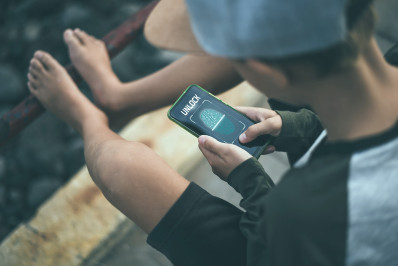
Many phones and tablets also support biometric authentication, such as a fingerprint or face unlock, which can add an extra layer of protection to the device itself. Explain to your child that these features are like adding another lock to the door of their digital world, and that they shouldn’t share or bypass them for convenience.
On top of MFA and biometrics, you can also start introducing your child to modern login methods like passkeys and passphrases. Wherever a service supports passkeys, use them – they’re easier to use than passwords and much harder for criminals to steal. For accounts that still rely on passwords, switch to long, unique passphrases instead of short, simple words.
For stronger privacy and extra peace of mind, consider using ESET Home Security. It includes secure browser protection, privacy-focused extensions, and the Ultimate plan also includes proactive identity theft monitoring.

Should I share my passwords with anyone?
The answer is very simple: passwords are private, and the only people who can know them are children’s parents or trusted guardians. As a parent, it’s important to have access to your child’s accounts so you can help them if something goes wrong, if they forget a password, or if you notice suspicious activity.
Encourage your child to share their passwords with you in a safe and structured way. Many family-friendly password managers offer secure sharing options that encrypt the credentials and protect them behind a master password or multi-factor authentication. This allows you to step in when needed, without teaching your child to casually give out passwords to anyone who asks.
At the same time, be clear that your child should not share their passwords with friends, classmates, siblings, or teammates – not even just this once. This applies to social media accounts, email, gaming profiles, streaming services, and school platforms. Children often underestimate how quickly information spreads. They might tell just one friend, who then tells another, until suddenly more people than expected can access the account, read private messages, post in your child’s name or even delete progress and content.
If your child is unsure why this matters, bring the conversation back to the bigger picture: their password is the key to their online identity. Once other people have that key, they can step into your child’s digital space and act as if they were them. Helping children understand this connection – and reminding them that you are there to support them, not to spy on them – is a crucial part of building healthy digital habits.
Do you have all these security measures in place?
Conclusion
Protecting your child’s data is not about limiting their access to the digital world, but about giving them the tools and confidence to navigate it safely. With strong passwords or passphrases, multi-factor authentication, secure devices, and open communication at home, children learn to protect their online identity just as they protect their belongings in real life. Small, consistent habits built early can make a big difference - helping your child stay safer, more resilient, and more in control of their digital future.
Frequently asked questions
Why do criminals target children’s personal data?
Because children’s information is often unmonitored and stays unchanged for years. This makes it easier for criminals to misuse it - for example to create fake or synthetic identities, open accounts, or impersonate the child online. Children are also less aware of digital risks, which can make them more vulnerable to scams or oversharing.
What types of information should children never share online (if possible)?
Their full name, home address, school name, phone number, birthday, real-time location, passwords, or any personal identifiers. Even seemingly harmless details can be combined to create a very complete picture of your child.
Is my child’s information at risk even if they don’t have social media?
Yes. Schools, games, entertainment apps and learning platforms all collect data. These systems can experience breaches, and once leaked, the data may circulate online for years. This is why secure passwords, device protection, identity theft protection, and parental oversight are important even before a child gets their first social profile.
What’s the safest way for younger children to manage passwords?
Use long, unique passphrases and store them in a family password manager. Parents should supervise password creation and keep master access. Avoid reusing passwords, and always turn on multi-factor authentication for important accounts.
How do I know if my child’s account was compromised?
Look for sudden password changes, logins from unknown devices, missing game items or purchases you didn’t approve, or strange messages sent from their account. If anything feels off, change the password, enable multi-factor authentication, and talk to your child right away.
What can I do today to make my child’s digital life safer?
Turn on MFA, use a password manager, utilize identity theft protection, review privacy settings, talk about oversharing, and make sure their devices are protected with biometrics and a secure PIN. Small habits go a long way in preventing bigger problems later.