حماية المنازل
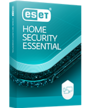
مكافحة الفيروسات، ومدفوعات خالية من القلق، وحماية الخصوصية عبر الإنترنت بما في ذلك مكافحة التصيد الاحتيالي وحماية شبكة Wi-Fi.
MOST FAVORITE
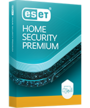
احصل على أفضل خطة أمان لدينا مع VPN وحماية الهوية ومعالجة برامج الفدية من أجل راحة البال التامة.
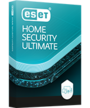
مكافحة الفيروسات، ومدفوعات خالية من القلق، وحماية الخصوصية عبر الإنترنت بما في ذلك مكافحة التصيد الاحتيالي وحماية شبكة Wi-Fi.
30 days, no credit card required
MOST FAVORITE
احصل على أفضل خطة أمان لدينا مع VPN وحماية الهوية ومعالجة برامج الفدية من أجل راحة البال التامة.
30 days, no credit card required
مكافحة الفيروسات، ومدفوعات خالية من القلق، وحماية الخصوصية عبر الإنترنت بما في ذلك مكافحة التصيد الاحتيالي وحماية شبكة Wi-Fi.
30 days, no credit card required
MOST FAVORITE
احصل على أفضل خطة أمان لدينا مع VPN وحماية الهوية ومعالجة برامج الفدية من أجل راحة البال التامة.
30 days, no credit card required
هل أنت عميل بالفعل؟قم بالتجديد والترقية وإضافة الأجهزة والمزيد هنا.

ESET Mobile Security for Android
حماية شاملة لهاتفك الذكي أو جهازك اللوحي الذي يعمل بنظام Android، بما في ذلك الحماية الاستباقية ضد السرقة.
For Android devices
استمتع بجميع ميزات ESET Mobile Security Premium لمدة 30 يومًا ثم قرر ما إذا كنت تريد الاحتفاظ بها أم لا - بدون أي التزام!
اشتراك واحد لجميع الأجهزة
ESET HOME Security Premium وESET HOME Security Essential هما باقتان متكاملتان للحماية. تتضمنان حلولاً أمنية متنوعة لأنظمة تشغيل متنوعة. تختلف الميزات المتاحة باختلاف نظام التشغيل المطلوب حمايته.
أمن المكاتب الصغيرة
للأجهزة الشخصية وأجهزة MacOS والهواتف الذكية والأجهزة اللوحية وخوادم Windows*
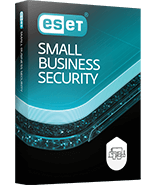
SMALL OFFICE
حماية سهلة الاستخدام مُصممة خصيصًا للشركات الصغيرة. احمِ بياناتك وأجهزتك وخوادمك وغير ذلك الكثير.
30 يومًا، لا حاجة لبطاقة ائتمان
*يرجى ملاحظة: قد تختلف الوظائف حسب نظام التشغيل.
الأسئلة الشائعة حول النسخة التجريبية المجانية
كيف تعمل النسخة التجريبية المجانية؟
1. فعّل النسخة التجريبية
اختر خيار النسخة التجريبية المجانية من ملف التثبيت، ثم فعّلها باستخدام بريد إلكتروني صالح.
٢. استمتع بحماية مجانية
استمتع بفترة تجريبية مجانية لمدة ٣٠ يومًا لحماية رقمية شاملة وكاملة الميزات. سنخبرك عند انتهاء فترة التجربة.
٣. تابع بعد انتهاء الفترة التجريبية
لن تُفرض عليك أي رسوم خلال الفترة التجريبية المجانية. أنت من يقرر ما إذا كنت ترغب في شراء النسخة الكاملة من المنتج والاستمرار باستخدامها.
كم عدد الأجهزة التي يمكنني حمايتها باستخدام النسخة التجريبية المجانية؟
تغطي النسخة التجريبية المجانية من برنامجي ESET HOME Security Premium وESET HOME Security Essential جهازًا واحدًا فقط. أما النسخة التجريبية المجانية من برنامج ESET Small Business Security فتغطي ما يصل إلى 5 أجهزة. يمكنك حماية أجهزة إضافية بشراء النسخة الكاملة من المنتج.
ملاحظة: ميزة VPN غير مضمنة في النسخة التجريبية من برنامجي ESET HOME Security Premium وESET Small Business Security.
هل يمكنني تثبيت ESET إذا كان لدي بالفعل برنامج أمان على جهازي؟
ننصح بشدة بإلغاء تثبيت أي برنامج مكافحة فيروسات مُثبّت مسبقًا من نظامك قبل تثبيت النسخة التجريبية المجانية من ESET.
ملاحظة: استخدام أداة إزالة Windows (إضافة/إزالة البرامج) لإلغاء التثبيت غالبًا ما يكون غير كافٍ. يُرجى مراجعة هذهقائمة أدوات إلغاء تثبيت برامج مكافحة الفيروسات المتاحة.
ملاحظة: تتوفر اشتراكات محددة فقط للتجربة. إذا كنت مهتمًا باشتراك لا يتوفر له فترة تجريبية، يمكنك استكشاف ميزات الأمان العديدة من خلال صفحة الخطط.
Thank You for Downloading
Set up your ESET trial in 3 easy steps:
- Click the downloaded file to start installation
- Sign in or Create ESET HOME security management account
- Finish installation by clicking on Try for free button
Your download of file eset_smart_security_premium_live_installer.exe has automatically started. If your download does not start automatically, please click here.
Thank You for Downloading
Set up your ESET trial in 3 easy steps:
- Click the downloaded file to start installation
- Sign in or Create ESET HOME security management account
- Finish installation by clicking on Try for free button
Your download of file eset_internet_security_live_installer.exe has automatically started. If your download does not start automatically, please click here.
Thank You for Downloading
Set up your ESET trial in 3 easy steps:
- Click the downloaded file to start installation
- Sign in or Create ESET HOME security management account
- Finish installation by clicking on Try for free button
Your download of file eset_nod32_antivirus_live_installer.exe has automatically started. If your download does not start automatically, please click here.
Thank You for Downloading
Set up your ESET trial in 3 easy steps:
- Click the downloaded file to start installation
- Sign in or Create ESET HOME security management account
- Finish installation by clicking on Try for free button
Your download of file eset_cybersecurity_pro_en.dmg has automatically started. If your download does not start automatically, please click here.
Thank You for Downloading
Set up your ESET trial in 3 easy steps:
- Click the downloaded file to start installation
- Sign in or Create ESET HOME security management account
- Finish installation by clicking on Try for free button
Your download of file eset_cybersecurity_en.dmg has automatically started. If your download does not start automatically, please click here.
Thank You for Downloading
Set up your ESET trial in 3 easy steps:
- Click the downloaded file to start installation
- Sign in or Create ESET HOME security management account
- Finish installation by clicking on Try for free button
Your download of file eset_nod32av_32bit_en.linux has automatically started. If your download does not start automatically, please click here.