If you’re reading this, you either know or suspect that your WhatsApp account has been hacked or otherwise compromised. The other option is that you’re planning ahead – in which case, well done. You’ll want to know how you can recover your WhatsApp account, how to secure it, and what you can do to protect your WhatsApp account from being hacked in future. Remember, nowadays, everybody is a target for cybercriminals.
If you suspect a security breach of your WhatsApp, or if you think your phone has been hacked via a compromise of your WhatsApp account, we’re going to run through what you need to look for. With this guide, you should be able to identify if your account has been breached (and potentially if data has been stolen), and what you can do to recover access and secure your account.
We’re also going to look at how you can reduce the chances of a data breach involving your WhatsApp account from happening. While we’re at it, let’s also look at how these attacks take place – from the relatively common through to the more exotic and unlikely tactics and tools. Let’s get started.
Why hack WhatsApp?
WhatsApp currently has over two billion users around the world swapping encrypted messages. All kinds of confidential information are exchanged (even though that’s not a great idea), and while encrypted messaging might not be the first reason for people to install the app, it’s a reassuring feature. Some multi-factor authentication (MFA) processes, including the one belonging to Microsoft, now send login codes to WhatsApp instead of SMS. The catch, of course, is that if one or more of the devices the app is installed on is compromised, the encryption is useless. This is worth bearing in mind if you do send information you’d rather stay secret: it’s only a secret as long as it’s not shared.
On top of this, compromised WhatsApp accounts are often used to distribute spam or to scam others – including family, friends, and loved ones among your phone’s contacts.
This makes gaining unauthorized access to a WhatsApp account hugely popular among cyber criminals and other attackers.
How do I know if my WhatsApp account has been compromised?
If you’re a regular WhatsApp user, it’s likely you’ll notice when something is off, but there are a couple of extra things you’ll also want to check, especially if, like most people, you only use it on one smartphone.
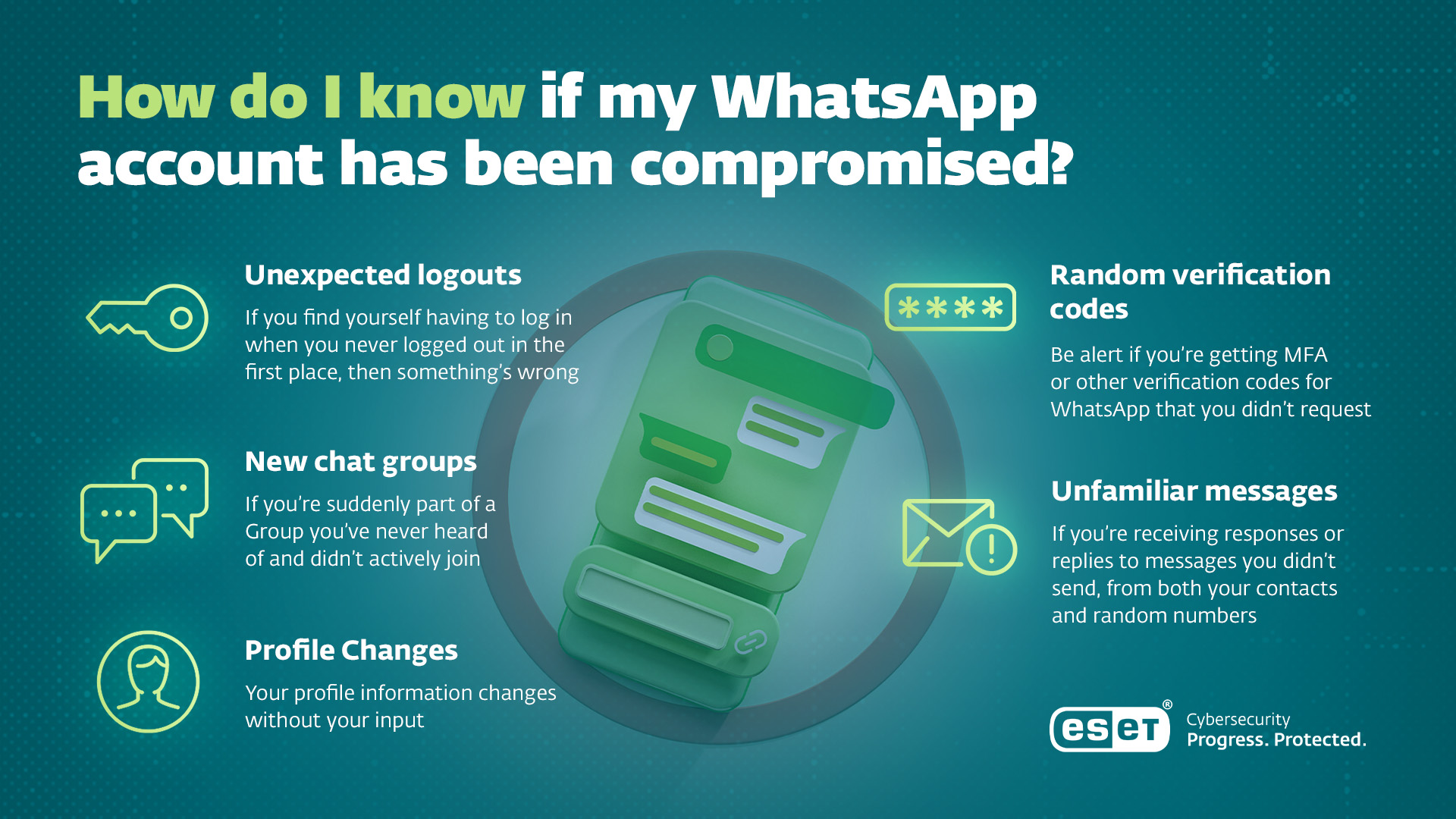
- Unexpected logouts. If you find yourself having to log in when you never logged out in the first place, then something’s wrong – and you should probably proceed to the next step.
- Unfamiliar messages. If you’re receiving responses or replies to messages you didn’t send, from both your contacts and random numbers.
- Profile Changes. Your profile information – status text, persona image, or anything else – changes without your input.
- You’re added to new chat groups. If you’re suddenly part of a Group you’ve never heard of and didn’t actively join.
- Random verification codes. Be alert if you’re getting MFA or other verification codes for WhatsApp that you didn’t request. Although not relevant here, if you’re getting password reset requests or MFA codes for other accounts, that’s a sign someone is trying to get access to them. Remember: an MFA is to authenticate you, not someone else, so never share those codes.
Common hacking methods relevant to WhatsApp credential theft
Phishing
One of the most popular cyberattacks at present, Phishing , involves attackers impersonating trusted contacts of organizations to get access by sending messages with content that compromises your security. This applies to a breach of your WhatsApp account, as well as the use to which an attacker is likely to put it once they have gained access. If your Aunty messages you a suspect link or suddenly seems to have got herself into trouble and needs a money transfer, well, it’s possible that her account has been compromised. If someone you know sends you a link to click on or asks you to send them a code: take a deep breath and think before answering or clicking.
Protect your phone with ESET Mobile Security for Android. It offers complex anti-phishing protection against malicious links in your browser, apps, text messages, notifications, and Link scanner on top.
SIM Swaps
We’ll get into this in a bit of detail later, but an easy way for some attackers to get access to your WhatsApp account is to simply ask your mobile carrier for a new SIM for your account. Not only will that give them access to WhatsApp, of course, but it’ll also grant access to any MFA codes that may be sent to your number via SMS.
Malware and Spyware
Infostealers are a thing with mobiles, just as with any other reasonably powerful computer – which is what a smartphone is, after all. Jailbreaking your phone, downloading apps from non-approved app stores or sometimes clicking on dodgy links can all result in malware or spyware getting onto your phone and hijacking your WhatsApp account.
In some cases, grey market or super-cheap handsets have come pre-installed with spyware or malware, so even if you’re using a brand new device, especially in the case of an Android phone, it’s worth scanning and securing it with a mobile security tool.
WhatsApp web exploits
Using WhatsApp’s web-based interface via a PC can be convenient but carries with it the risk of accidentally granting access to your account via a malicious website or QR code scan. Be sure to verify that you’re actually accessing or scanning a legitimate destination.
Multilayered Anti-Phishing in ESET HOME Security Premium blocks scam websites and phishing attempts before they can steal your data.
Call forwarding scams
This type of social engineering scam is popular because it grants attackers access to call to your phone number: any call is automatically forwarded to attackers to answer. In these situations, a scammer will impersonate your mobile operator, warning, for example, of an attempted compromise and asking you to enter a specific series of numbers and symbols. The code is actually an instruction to your phone to forward calls to another number. If you’ve got MFA set up to trigger a call for authentication rather than to text a code to you, this becomes a hijacking that will grant access to your WhatsApp account – as well as allowing all kinds of other bad things to happen.
Before you attempt to recover your account
Bear in mind that the device you’re using may have actually been compromised. So, check that it’s got the latest operating system and security updates, and consider using a malware scanner like ESET Mobile Security for Android to look for persistent threats. One piece of practical advice that may save you some hassle long term: Switch your phone off entirely at least once a week for at least ten minutes. This could be while you’re having a shower, eating or watching your favorite show. Aside from removing the distraction of a glowing brick from your day for a tiny fraction of time, it also helps clear out any non-persistent threats and can help prevent system slowdown.
What can I do to recover a hacked account?
“Well, if you’ve still got access to your phone, phone number and WhatsApp…”
If you are still logged in, then go to Settings, then Linked Devices. Click the option to Log out all linked devices. This will kick out any unauthorized devices connected to the account – but bear in mind it will also end the sessions on any devices you own and manage aside from the primary smartphone you’re using for the device.
If you’ve been logged out, the task is a little more complicated – and there may be extra steps, depending on how your account was stolen. Open WhatsApp, go to Sign In, and enter your phone number. You’ll then be sent a six-digit log-in code in an SMS text message, or automated phone call to your mobile number.
If you’ve already set a security passcode PIN (and this is good practice, so hopefully you have) you’ll then need to enter that to proceed. This is why WhatsApp will ask you to re-enter your PIN once a week so you don’t forget it.
At this point, it’s worth building good habits: when you’re asked to re-enter your PIN by WhatsApp, also check to see if any other devices are linked to your account. If you don’t recognize them, unlink them. It’s worth occasionally removing all linked devices and re-adding them too, just in case.
If you’ve forgotten that six-digit passcode, then bad luck: you’re going to have to wait at least seven days before you can recover it. Hopefully, when you enabled two-step verification, you entered your email address. It’s this address that WhatsApp will send a reset link to in the event that you can’t remember the number.
If you don’t have access to your mobile number
One method of attack used against WhatsApp and other services is SIM stealing or SIM cloning. Attackers will attempt to get your mobile phone account’s SIM card replaced and handed over to them, or (in some very rare cases) will clone your SIM, giving them the same access that you do to your mobile operator’s services. The latter process generally requires that attackers have physical access to the SIM they are trying to clone, so it’s far easier to conduct a bit of social engineering and persuade your mobile operator to re-issue a SIM card to them instead.
You’ll need to contact your mobile operator directly and ask them to re-issue your SIM and lock or disable any others assigned to your number. Once you have the new SIM, you can re-enable your WhatsApp account using the process described above.
Other considerations
If your account has been hijacked by an attacker, they’ll likely have done so in order to use it for criminal ends. Make sure to notify family, friends, and other contacts that messages they might have received from your account recently could have come from someone impersonating you. You may also want to update your status message to warn contacts.
While the attacker won’t have had direct access to your historical chats unless your device backups or cloud storage are also compromised, this is a reminder to check both of those things.
Using a web-based version of WhatsApp is an option that may be useful – but bear in mind you should always check that the QR code you are scanning is actually displayed on WhatsApp’s own web page, and make sure you follow security best practices when using the Web version. For that reason, we’d suggest you don’t use this on a shared computer.
Further steps
Hopefully, you’ve already instituted multifactor authentication for your sensitive accounts. Now may also be a good time to reset any passwords for accounts that send MFA tokens to your WhatsApp account.
We’ve also talked about the two-step verification WhatsApp can apply to your account that requires you to enter a six-digit PIN. If you haven’t already done this, go to Settings, then Account, then Two-step verification, and click on Enable.
WhatsApp is also adopting the new Passkey security authentication technology built by the Fast Identity Online (FIDO) Alliance. Passkeys make it easier to log in without remembering a long password – or using the same easy-to-guess one time after time.
Expert tips and advice
“Encrypted messaging apps like WhatsApp are appealing targets for cybercriminals and advanced threat actors alike because they serve as channels for confidential and sensitive communications. While most hacking attempts on platforms like WhatsApp rely on well-known social engineering tricks, credential theft, or device compromise, the stakes can be far higher for individuals in sensitive professions – such as journalists, human rights defenders, or political figures. These users may be exposed not only to conventional cybercrime, but also to sophisticated, often state-sponsored surveillance operations.
Zero-click attacks – where a device can be compromised without any user interaction – have become a real concern in recent years. Precisely targeted spyware tools like Pegasus or Predator have shown that the technical hurdles to remote compromise are lower than many might assume, allowing the attacker to access most if not all content on the device, including encrypted messaging apps such as WhatsApp. These spying tools have been commercialized to meet the needs of authoritarian regimes keen to suppress dissidents, but also by law enforcement and intelligence agencies in democratic societies, raising questions about privacy and oversight.
For everyday users, however, a key takeaway is to use security solutions, maintain good digital hygiene, and stay wary of more common threats such as stalkerware - where a partner installs a tracking app on the phone of their significant other without their consent. For people handling especially sensitive information, this bare minimum is not enough. They should seek guidance from their organizations on secure communication protocols and may need to use dedicated, vetted devices and platforms built with robust threat models in mind. In any scenario, it’s crucial to understand that encryption, while powerful, is not a silver bullet: once an endpoint device is compromised, all communication - no matter how well encrypted during transit - may be exposed.”
- Ondrej Kubovič, Security Awareness Specialist
Conclusion
WhatsApp has become woven into the fabric of many peoples’ lives – and it’s used to share all kinds of valuable information. More importantly: it’s also frequently used to share information with others you know and trust. The problem is that, as with any system, it can be compromised, and as with any other communication system, it’s only as secure as the people using it want it to be. Think twice before sharing something confidential on WhatsApp, and think three times before clicking on anything suspicious.
Frequently asked questions
Can someone access my chat history if they hack my account?
Generally, this is only the case if they have access to the cloud service you’ve used to back up your chat history, or if they’ve managed to get access to one of your devices. If the attacker has only managed to gain access to your WhatsApp account, then they’ll only be able to see new messages as they arrive. If they’ve compromised your device, or accessed your cloud storage accounts, then they may well get access to your old chats.
What should I do if I receive a verification code I didn't request?
Under no circumstances should you share the code with anyone.
This is potentially a sign that someone is trying to break into your account. They may hope to get access to that code – either physically, by viewing the device it is sent to, or virtually via a cloned SIM or spyware installed on your device.
That said, random verification codes are also sometimes simply mistakes. Your mobile number may have belonged to someone else in the past, or someone could have simply mistyped their own number in error.
Is it safe to use WhatsApp Web?
Yes, but always ensure you're scanning QR codes from the official WhatsApp Web page. Bear in mind, too, that if it’s not your device or if it’s managed by someone else, your account and its information will be visible to others. For example, if you put WhatsApp on your work computer, the company’s IT team may well be able to view your messages.
Are my messages truly hidden?
WhatsApp is very vocal about how messages between its users are end-to-end encrypted, but that secrecy only holds true if the devices at each end are secure. If they’re not, then the encryption is rendered useless.