Cloud Application Protection
ESET Cloud Office Security
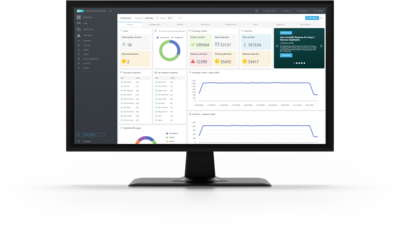
Provides advanced protection for Microsoft 365 and Google Workspace applications against malware, spam or phishing attacks with ultimate zero-day threat defense and an easy-to-use cloud management console.
Advanced protection
- Antispam
- Anti-Phishing
- Antimalware
- Antispoofing and homoglyph protection
- Advanced Threat Defense ESET LiveGuard Advanced
Proactive protection against zero-day threats that analyses suspicious samples in an isolated cloud sandbox environment. - Cloud-Based console
Protected applications
Exchange Online, OneDrive, Teams, SharePoint Online, Gmail, Google Drive
Explore features
Antispam
Now using an enhanced, award-winning engine with improved performance, this essential component filters all spam emails and keeps user mailboxes free of unsolicited or undesired messages.
Anti-Malware
Scans all incoming emails and attachments as well as all new and changed files. This helps keep the user’s mailbox free of malware and prevents the spread of malware through cloud storage across multiple devices.
Anti-Phishing
Prevents users from accessing phishing sites by scanning the subject and body of incoming emails for suspicious links (URLs). These links are checked against a constantly updated database of known phishing sites.
Advanced Threat Defense
Proactive cloud-based defense against ransomware and never-before-seen threat types. Utilizes advanced adaptive scanning, cutting-edge machine learning, cloud sandboxing and in-depth behavioral analysis.
Notifications
Notifications greatly improve admins’ efficiency by removing the need to constantly check the dashboard. When a potentially suspicious new activity is detected within ESET Cloud Office Security, it can send out an email to notify admins or users so that they are immediately made aware of the threat.
Automatic protection
With this option enabled, admins can be sure that new users created within the Microsoft 365 tenant will be automatically protected without the need to go to the console to add them separately.
Email rules with pre-made templates
Saves time and streamlines email rule management with ready-to-use templates that can be enabled instantly and customized as needed – no need to start from scratch. Smart Rules provide advanced variables beyond standard options, offering more flexibility and control with minimal effort. Perfect for users seeking powerful automation without added complexity.
Quarantine manager
An admin can inspect objects in this storage section and decide to delete or release them. This feature offers simple management of emails and files that have been quarantined by our security product. On top of that, the admin can download quarantine items and investigate them with other tools locally.
Multitenancy
Add unlimited tenants and serve multiple companies from a single dedicated ESET Cloud Office Security console.
Rules
ESET’s comprehensive rule system allows administrators to manually define email filtering conditions and actions to take with the filtered emails.
User reports with quarantine release
An admin can let employees have visibility into what is kept in quarantine. Once an email or any kind of object is put into quarantine, employees can receive an email with information about what has been quarantined and why. For spam detections, the end-user can also release an email from quarantine instead of an admin.
Antispoofing
Built on a robust rule engine, Antispoofing protects the organization by detecting and blocking fraudulent emails that mimic legitimate sources. It ensures secure communication and helps prevent phishing attacks through advanced email verification technology.
Role-based access control
Allows assigning precise user permissions based on roles, helping protect sensitive data and ensure compliance. Designed for government, enterprise, and MSP environments, it offers granular RBAC – for example, restricting a junior analyst from accessing HR emails. Access levels can be tailored to match user responsibilities, giving organizations full control with minimal complexity.
Compromised user account suspension
Allows administrators to immediately suspend accounts suspected of compromise, logging users out and blocking further access until the investigation is complete. No data is deleted, but access to emails and files is halted, helping prevent breaches or data leaks while the incident is contained.
System requirements
Supported browsers
- Mozilla Firefox
- Microsoft Edge
- Google Chrome
- Opera
- Safari
Note: For the best experience with ESET Cloud Office Security, we recommend that you keep your web browsers up to date.
The following are required to start your protection
- Supported Microsoft 365 subscription plans
- Admin access to Azure Active Directory (Azure AD)
- Azure Cloud Services – Exchange | OneDrive | Sharepoint | Teams
- An account in ESET PROTECT Hub
- Supported Google Workspace subscription plans
- Admin access to Google Workspace account
- An account in ESET PROTECT Hub