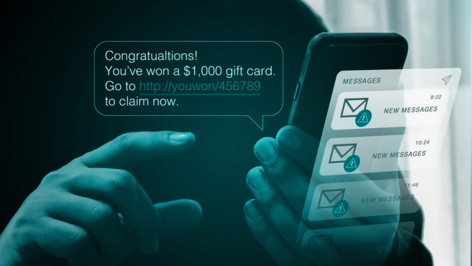
Are PayPal scams still a problem?
Unfortunately, yes. PayPal remains one of the most popular and trusted ways to send and receive money, and to pay sellers for their items. This makes it an attractive prospect for scammers. Although the platform has worked hard over the years to build in consumer protections, don’t let this lull you into a false sense of security. Opportunities still exist for determined fraudsters.
Consumers lost over $12.5bn to fraud in 2024, a 25% year over year increase, according to the FTC. Although not all of this will be down to PayPal scams, the popularity of the platform means they will certainly have played a part. The 2024 Federal Trade Commission Data Spotlight shows that PayPal was the third-most impersonated company by scammers. And warnings this year from US Attorneys general show the threat remains elevated.
How do PayPal scammers steal money?
Fraudsters understand human psychology well. They have a broad set of tactics to trick you into divulging your personal information and/or sending them money. These include:
- Phishing emails that redirect you to fake login pages
- Fake invoices that demand urgent payment
- Refund and overpayment scams which trick you into returning overpayments, only to find the original transaction was fraudulent
- Friends & Family scams that exploit trust by bypassing PayPal protections
- Changing shipping addresses that help scammers game the PayPal dispute resolution process
- Offering fake employment opportunities to trick you into sending an upfront fee to secure the offer
- Beware: advances in AI are lowering the barriers to entry for would-be scammers, enabling them to create convincing campaigns like these at scale.
Avoid these common PayPal scams in 2025
Fake invoice/money request scam
You receive an urgent invoice or request for money through PayPal demanding payment for goods you can’t remember purchasing. The end goal for the scammers is to trick you into paying up, handing over your credentials/payment information, or even to give them remote access to your computer. To set the wheels in motion, they’ll persuade you to click on the link or call the number in the email. Software licenses “renewals” are a common variant of this scam.
Tip: PayPal never includes phone numbers in invoices. Avoid clicking on links/calling phone numbers in unsolicited messages.
“Friends & Family” payment scam
When you try to sell an item online, such as via Facebook Marketplace, buyers ask you to accept their payment as Friends & Family so you don’t have to pay fees. However, what they don’t tell you is that it also means the purchase doesn’t qualify you for PayPal Purchase Protection.
Tip: Never use Friends & Family for goods or services.
Spoofed (phishing) PayPal emails
Emails impersonating PayPal’s brand fraudulently warn you of suspicious activity or alert you to newly received funds. Their goal, once again, is to get you to click on a malicious link or put you on the phone with a fraudster.
Tip: Beware of generic greetings, mismatched domains, urgent tone, and suspicious links. Don’t reply to unsolicited emails, click on links, download attachments, or call any listed phone number.
Overpayment refund scam
You’re selling an item online and the buyer overpays but asks for repayment of the extra sum. You do this in good faith, but find the original payment was fraudulent. This way, you end up losing the money you wired to the fraudster, the product you shipped, the shipping costs, and your payment.
Alternatively, you may be contacted out of the blue by scammers claiming to have paid you in error.
Tip: Never return funds to buyers who ‘overpay.’ Consider cancelling the order if they request to do this. Tell them to contact PayPal support to resolve their issue.
Subscription scam
Similar to fake invoice scams, you receive a fake subscription renewal email which tries to alarm you into cancelling—by calling a number or clicking through on a link. Again, the goal of the scammer is to extract payment, obtain your payment card information, or install malware that can, for example, grant them remote access to your machine.
Tip: Don’t reply to unsolicited demands for subscription payments you don’t recognize, especially if they seem suspiciously urgent and/or have a generic greeting. If you’re really concerned, contact the purported sender separately.
Fake charities/crowdfunding
Scammers often use newsworthy events such as natural disasters and humanitarian crises to impersonate charitable causes and solicit PayPal donations.
Tip: Always verify the background of any charity through official sources before giving.
Shipping address scam
A scammer purchases an item from you online and gives an invalid/fake shipping address. The delivery company flags it as undeliverable. The scammer then contacts the delivery company directly to provide the correct address. This means the scammer receives the item but can complain to PayPal that it has not been received. As the shipment was rerouted, it’s difficult for you to prove the item was indeed received, and the scammer can keep both the payment and the item.
Other shipping address scams may involve fraudsters asking you to use a prepaid shipping label, which means they get to control the destination of the package. It also means you are no longer covered by PayPal's Seller Protection policy.
Tip: Refuse any buyer request to use their own ‘preferred’ delivery company or prepaid label, and only ever ship to the address on the Transaction Details page.
Employment/job opportunity scam
A fraudster advertises fake job offers which look like easy money. However, they demand an upfront fee before you can start—perhaps to pay for non-existent training or supplies. Once you pay, they disappear.
Tip: Always be skeptical of job offers that seem too good to be true and never pay upfront sums before joining a new employer.
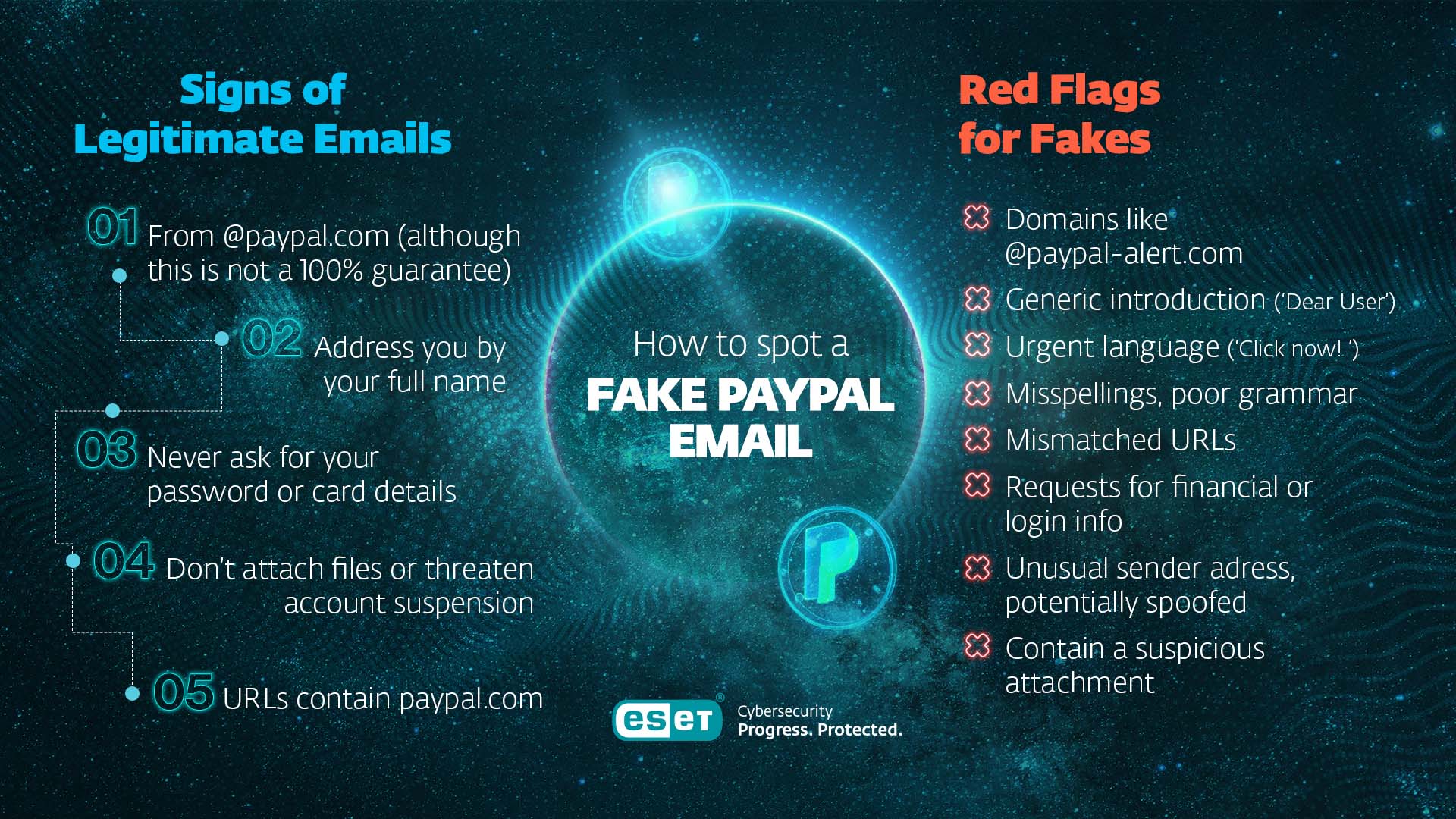
How to spot a fake PayPal email
✅ Signs of legitimate emails:
- From @paypal.com (although this is not a 100% guarantee)
- Address you by your full name
- Never ask for your password or card details
- Don’t attach files or threaten account suspension
- URLs contain paypal.com
❌ Red flags for fakes:
- Domains like @paypal-alert.com
- Generic introduction (‘Dear User’)
- Urgent language (‘Click now!’)
- Misspellings, poor grammar
- Mismatched URLs
- Requests for financial or login info
- Unusual sender address/potentially spoofed
- Contain any attachments or extra software
Can someone access your bank account through PayPal?
Not directly - but if your PayPal login is compromised, scammers can:
- Send money from a linked bank account or card
- Transfer funds to other accounts
- Access personal account data
Safeguards like strong passwords and 2FA are vital - especially if you reuse credentials elsewhere.
How to report PayPal scams
Consider the following:
- Never click links or download attachments.
- Forward suspicious emails to phishing@paypal.com.
- Mark them as phishing in your email client, e.g. Microsoft Outlook, Apple Mail, etc.
- For fake/fraudulent transactions, log into paypal.com, go to Activity > Click on transaction > Report Issue to PayPal, and follow the dispute process. Or go to Help > Resolution Center > Click on transaction > Report a Problem.
What to do if you’ve been scammed
Don’t panic, and work through the following:
- Change your PayPal password immediately, and any other accounts that share the same login. You should use unique passwords for each account, stored in a password manager
- Enable 2FA for added security
- Report the scam through the PayPal Resolution Center
- Notify your bank or card issuer if details were exposed. You may be able to freeze a card via your app if its number has been compromised
- Consider notifying law enforcement or a consumer protection agency (like the FTC)
- Scan your device for malware if you clicked anything suspicious
- If you allowed remote access, reset your device or seek professional help
How to protect your PayPal account
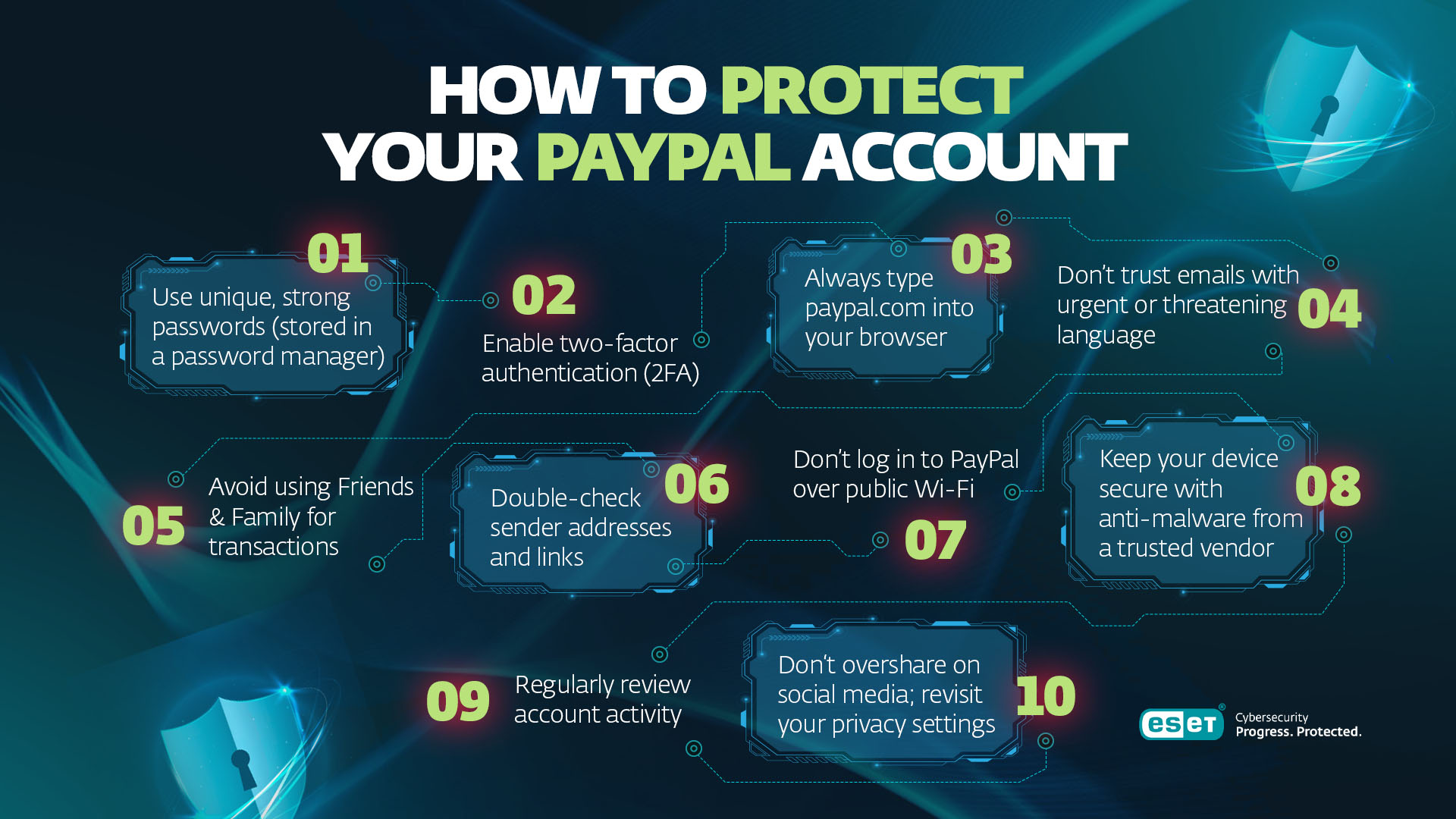
- Use unique, strong passwords (stored in a password manager)
- Enable two-factor authentication (2FA)
- Always type paypal.com into your browser
- Don’t trust emails with urgent or threatening language
- Avoid using the Friends & Family payment type for transactions
- Double-check sender addresses and links
- Don’t log in to PayPal over public Wi-Fi
- Keep your device secure with anti-malware from a trusted vendor
- Regularly review account activity
- Don’t overshare on social media; revisit your privacy settings
How ESET can help you avoid PayPal scams
While vigilance is key, even the most cautious users can fall for sophisticated scams. This is where layered protection helps.
ESET HOME Security includes Anti-Phishing protection which blocks web pages known to distribute phishing content. On top of that, Android smartphones are protected via ESET Mobile Security which features a Link Scanner. This feature checks every link a user tries to open. If you accidentally open a spoofed PayPal login page or a fake invoice link, ESET’s protection can alert you and prevent credential theft.
For extra peace of mind, ESET Home Security also offers:
- Email threat detection to flag suspicious messages
- Secure browser mode for online banking and payments
- Real-time malware and spyware protection
These tools add an invisible safety net that works seamlessly alongside you - so even if a scam gets past your inbox, it doesn't get past your device. Install it on all your devices for maximum protection.

ESET Mobile Security is available as part of the ESET HOME Security plans or as a stand-alone app.
Expert insights
“For obvious reasons, online banking and payment services have always been attractive targets for cybercriminals, and PayPal is no exception. While just a few years ago users mostly faced basic, low-quality phishing email campaigns imitating the brand, today the attack techniques have become much more sophisticated. Some of the publicly reported campaigns have exploited misconfigurations in legitimate PayPal email services, duping users into calling the scammers; and have also abused PayPal’s no-code checkouts, helping attackers create fake payment links and help them to rank high in search. According to ESET telemetry, we’ve detected over 4000 attempts to target PayPal in the first half of 2025 alone. To safely navigate this ever-expanding threat landscape and also a growing number of payment options, users should rely on two protective approaches: 1) using detection technology that reliably filters out impostors and blocks most of the advanced threats, and 2) being vigilant when handling any money-related communications and irregular transactions.”
- Ondrej Kubovič, Security Awareness Specialist
Stay one step ahead
PayPal is still a convenient and secure way to send money. But it demands constant vigilance. Scammers rely on urgency, impersonation tactics, and psychological pressure. Recognize the red flags, always verify incoming emails, report suspicious activity, and deploy strong security measures like 2FA to stay protected.
Scammers and payment platforms are locked in a continuous battle of cat and mouse. Don’t get caught in the middle.
Frequently asked questions
Are PayPal scams still a problem?
Yes, PayPal is among the companies that are most abused by impersonation scams and fraudsters who are constantly refining their tactics to improve ROI.
What are some of the most common PayPal scams?
Among the most common are fake invoices/subscriptions, overpayment scams, Friends & Family payment requests, shipping fraud, and fake charities.
How do I protect myself from PayPal scams?
Use strong passwords and 2FA, always be suspicious of unsolicited emails, look out for the tell-tale signs of a phishing email, and avoid using the Friends & Family payment type for transactions.
What should I do if I’ve been scammed?
Change your PayPal password immediately, notify PayPal through the PayPal Resolution Center, report the situation to your bank and law enforcement, and scan your machines for malware if relevant.