Snap. Click. Secure.
Meet the new ESET VPN

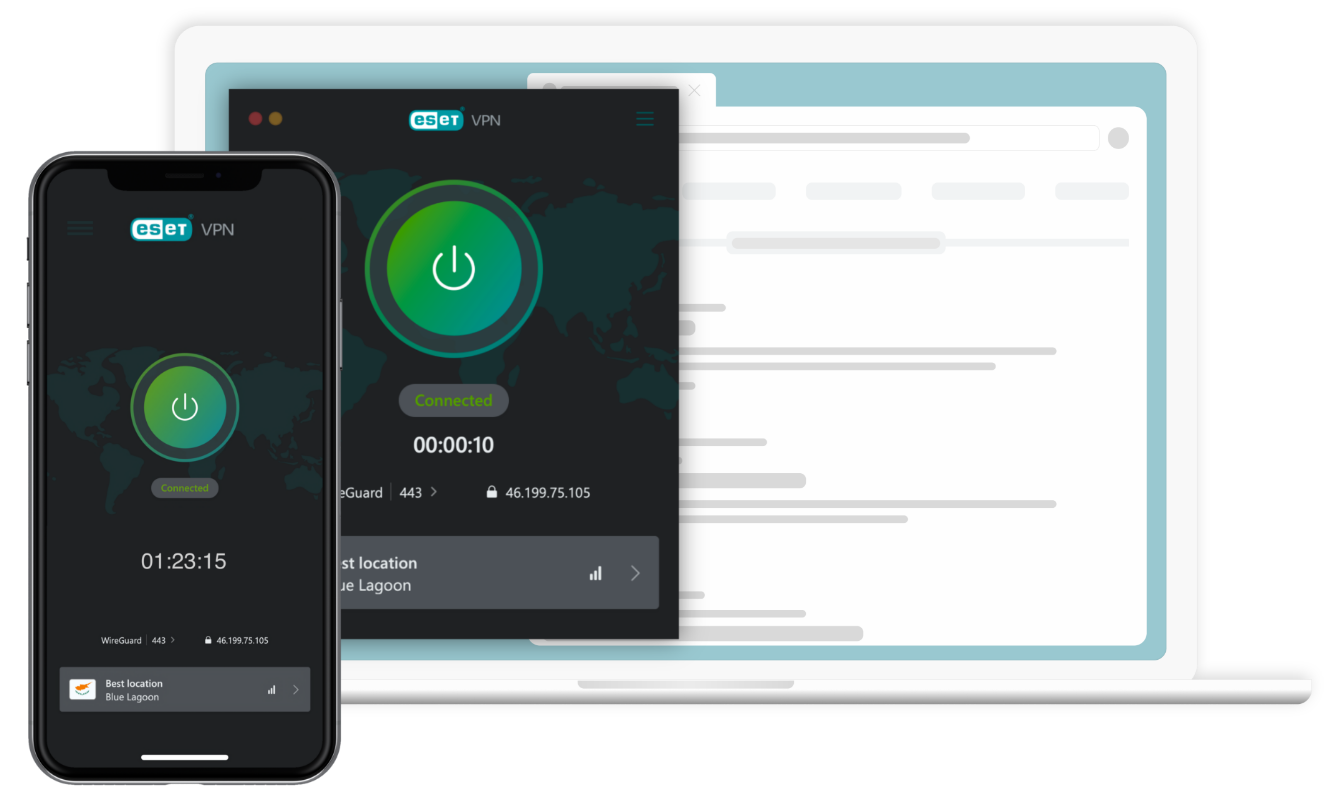
Snap into secure public WiFi. Click confidently with our no-logs policy and zero tracking. Unlock access to geo-restricted content. On top of ESET VPN, you get 24/7 real-time protection, safe banking and browsing, secure logins, and identity theft protection. With ESET VPN – protection is just a snap and click away!
Disconnected

WireGuard | 443 >

188.167.250.238

VPN within ESET HOME Security Premium and ESET HOME Security Ultimate

  • Unlimited bandwidth

  • Public Wi-Fi protection

  • Unlocked geo-restricted content

  • No-logs policy

and much more

For PC, macOS, smartphones & tablets

 How many VPNs will I get after purchasing? With Ultimate plan you can activateVPN on up to 10 devices: If you purchase ESET HOME Security Ultimate for up to 10 devices, you can activate the VPN on up to 10 devices. or VPN on up to 25devices: If you purchase ESET HOME Security Ultimate for more than 10 devices, you can activate the VPN on up to 25 devices.

With Premium plan you can activate: VPN on up to 3 devices: If you purchase ESET HOME Security Premium for up to 10 devices, you can activate the VPN on up to 3 devices. or VPN on up to 5 devices: If you purchase ESET HOME Security Premium for more than 10 devices, you can activate the VPN on up to 5 devices.

For PC, macOS, smartphones & tablets

 How many VPNs will I get after purchasing? With Ultimate plan you can activateVPN on up to 10 devices: If you purchase ESET HOME Security Ultimate for up to 10 devices, you can activate the VPN on up to 10 devices. or VPN on up to 25devices: If you purchase ESET HOME Security Ultimate for more than 10 devices, you can activate the VPN on up to 25 devices.

With Premium plan you can activate: VPN on up to 3 devices: If you purchase ESET HOME Security Premium for up to 10 devices, you can activate the VPN on up to 3 devices. or VPN on up to 5 devices: If you purchase ESET HOME Security Premium for more than 10 devices, you can activate the VPN on up to 5 devices.

Looking for an all in-one 24/7 cybersecurity solution with internet protection, antivirus, VPN and more? ESET Home Security Ultimate has it all, including ESET VPN.

Wherever you are; home, work or on public WiFi, you can feel protected. Click confidently with our no-logs policy and zero tracking. Or, unlock access to geo-restricted content. With 24/7 real-time protection, safe banking and browsing, secure logins, and identity theft protection, let us protect every step of your online journey.


Your ultimate digital defence toolkit

Enhanced Privacy & Anonymity

  • No-logs policy
  • DNS leak protection
  • MAC spoofing protection

Robust Security
 

  • Public Wi-Fi protection
  • Firewall with kill switch
  • Online activity encryption

Content Accessibility & Freedom

  • Over 60 locations to choose
  • Geo-restriction bypass
  • Unlimited bandwidth

More than just VPN

  • Complete antivirus protection
  • Safe Banking and Safe Browsing
  • Password Manager

User Control & Customisation

  • Split Tunnelling
  • Proxy settings configuration

Identity Protection
 

  • Dark web monitoring

What makes ESET VPN different?

Enhanced Privacy & Anonymity

Experience maximum privacy and anonymity with ESET VPN. It includes a strict no-logs policy, DNS leak protection and MAC spoofing security, ensuring your online identity is always safeguarded.

Learn more
  • No logs policy: Guarantees that your online activities are never tracked or stored.
  • DNS leak protection: Ensures your DNS queries remain secure, protecting your online identity. Desktop Only
  • MAC spoofing protection: Shields your device's actual MAC address from exposure on public or adversarial networks. Desktop Only

Identity Protection

Prevent identity theft with dark web monitoring. This functionality scans thousands of websites, marketplaces, blogs, and more for breaches and leaked customer information.

Robust Security

Strengthen your online security with public Wi-Fi protection, guarantee uninterrupted safety with a kill switch, and keep your private data confidential thanks to powerful encryption of online activity.

Learn more
  • Public Wi-Fi protection: Prevents hackers from stealing your data on unsecured networks.
  • Firewall with kill switch: Automatically blocks all internet connectivity if the VPN disconnects, preventing data leaks. Desktop Only
  • Encrypts online activity: Keeps your internet data secure and private, preventing unauthorised access.

User Control & Customisation

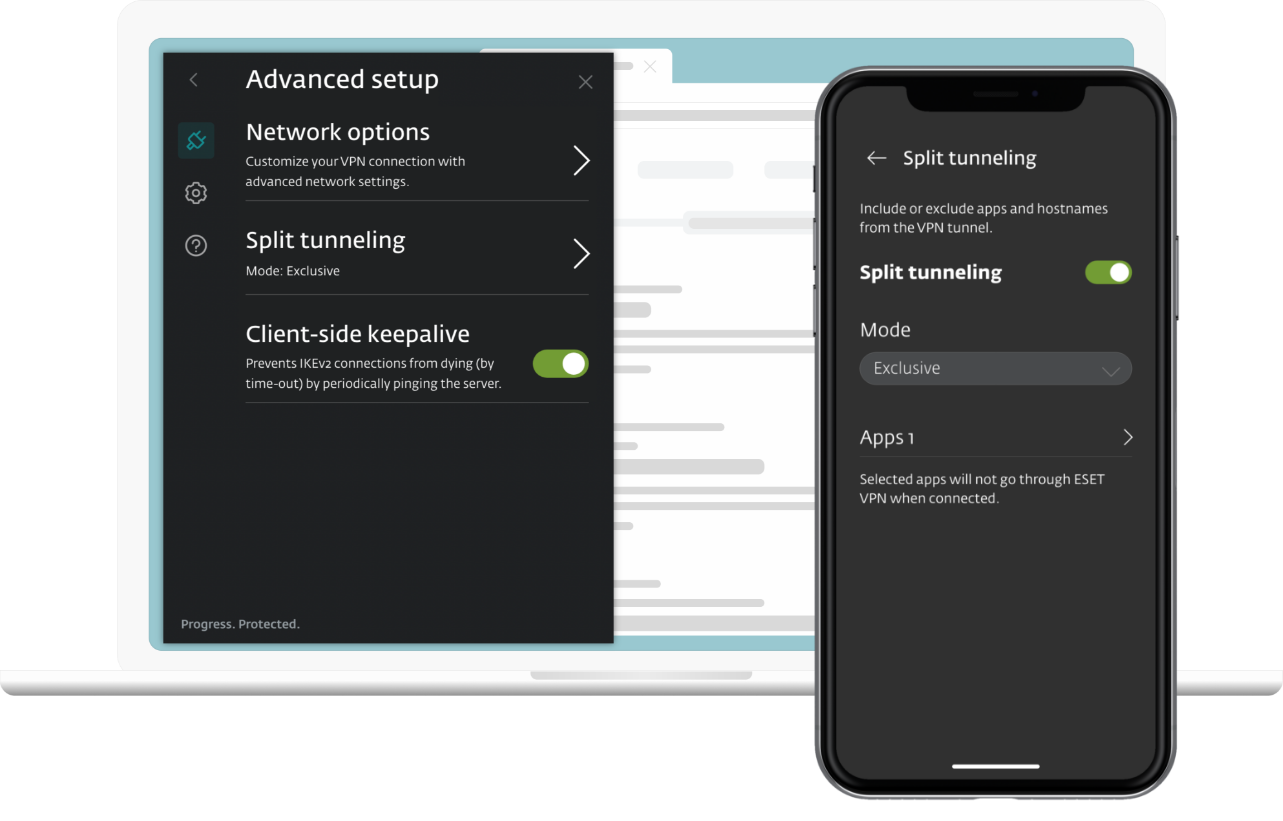
Personalise your VPN experience to suit your needs and preferences. Choose specific applications with Split Tunnelling and configure proxy settings for network-restricted environments, such as schools or workplaces.

Learn more
  • Split tunnelling: Offers the flexibility to choose which applications are launched through VPN. Desktop & Android
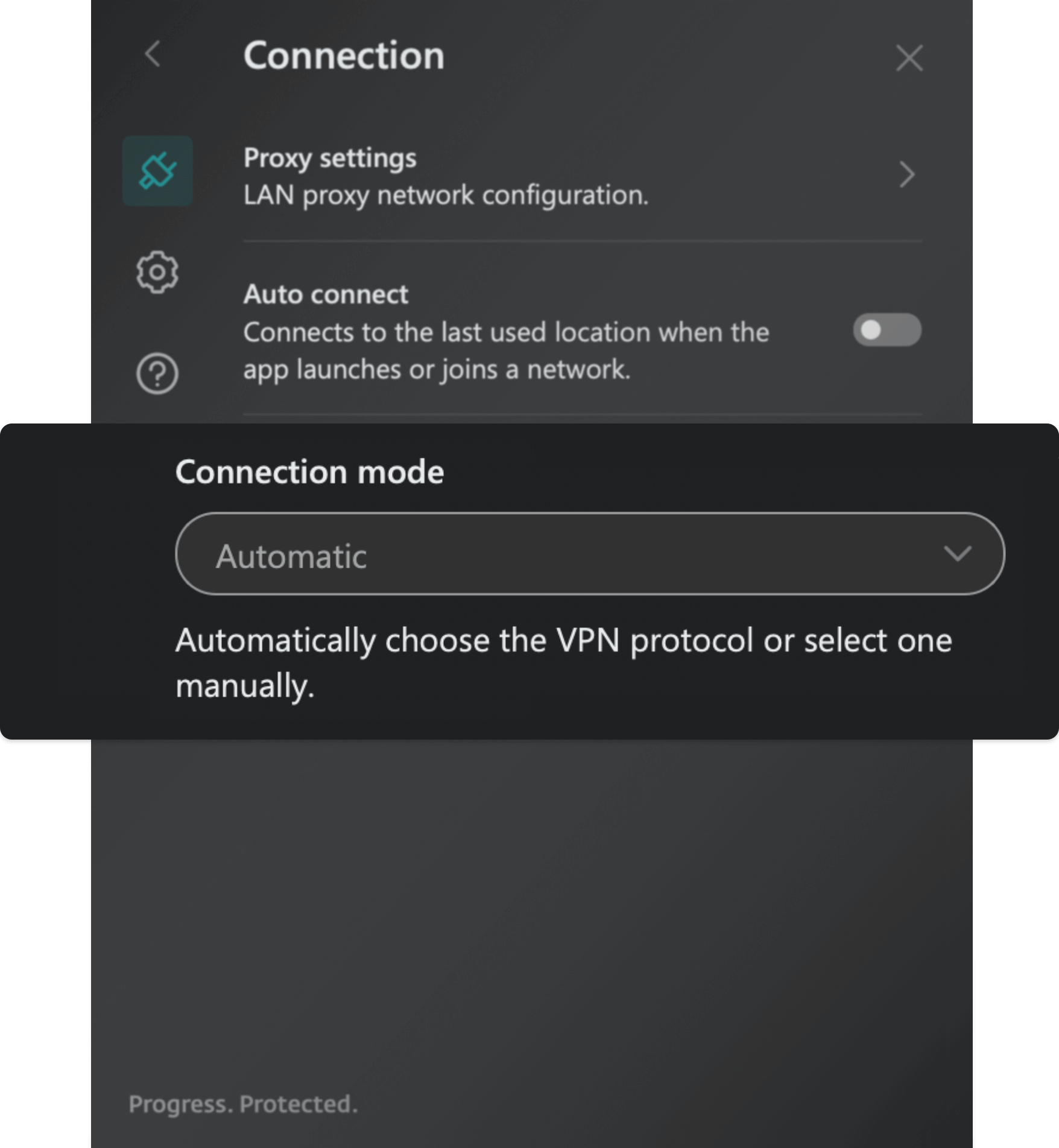
  • Proxy settings configuration: Allows users to configure network proxy settings. Useful for network-restricted environments like schools or workplaces. Desktop Only

Explore the world: over 70 countries at your fingertips*

Our app automatically locates the fastest server with the optimal location for you. Experience seamless global access with multiple server locations across various countries. Enjoy features like quick search and a favourites list for easy access to your top picks, all within a single app.

  • Enjoy your favourite content on various streaming platforms
  • Access websites and information not available in your country
  • All of that comes with unlimited bandwidth

*Available with the Ultimate plan. Premium users can access up to 40 countries.


Versatile connection protocols

Customise your security with our range of VPN protocols. Whether you prefer the robustness of OpenVPN or the speed of WireGuard®, choose the protocol that best fits your needs for secure, fast, and reliable online protection.


  • WireGuard®  A free, open-source communication protocol. It is typically faster than OpenVPN (called UDP and TCP in the applications) and more flexible than IKEv2, making it a great option for securing user’s online activity.

  • IKEv2 (IPsec)  IKEv2 is a tunnelling protocol, providing a secure key exchange session that is paired with IPsec to ensure data encryption and authentication. It is usually the fastest, but can be easily blocked.

  • UDP (OpenVPN)  This mode uses OpenVPN protocol. UDP is usually the fastest protocol to run OpenVPN on due to less data verification, but can also be blocked quite easily.

  • TCP (OpenVPN)  This mode uses OpenVPN protocol. Due to multiple data verifications it could be slower but it is much more resilient to bad network conditions and ensures stable connections.

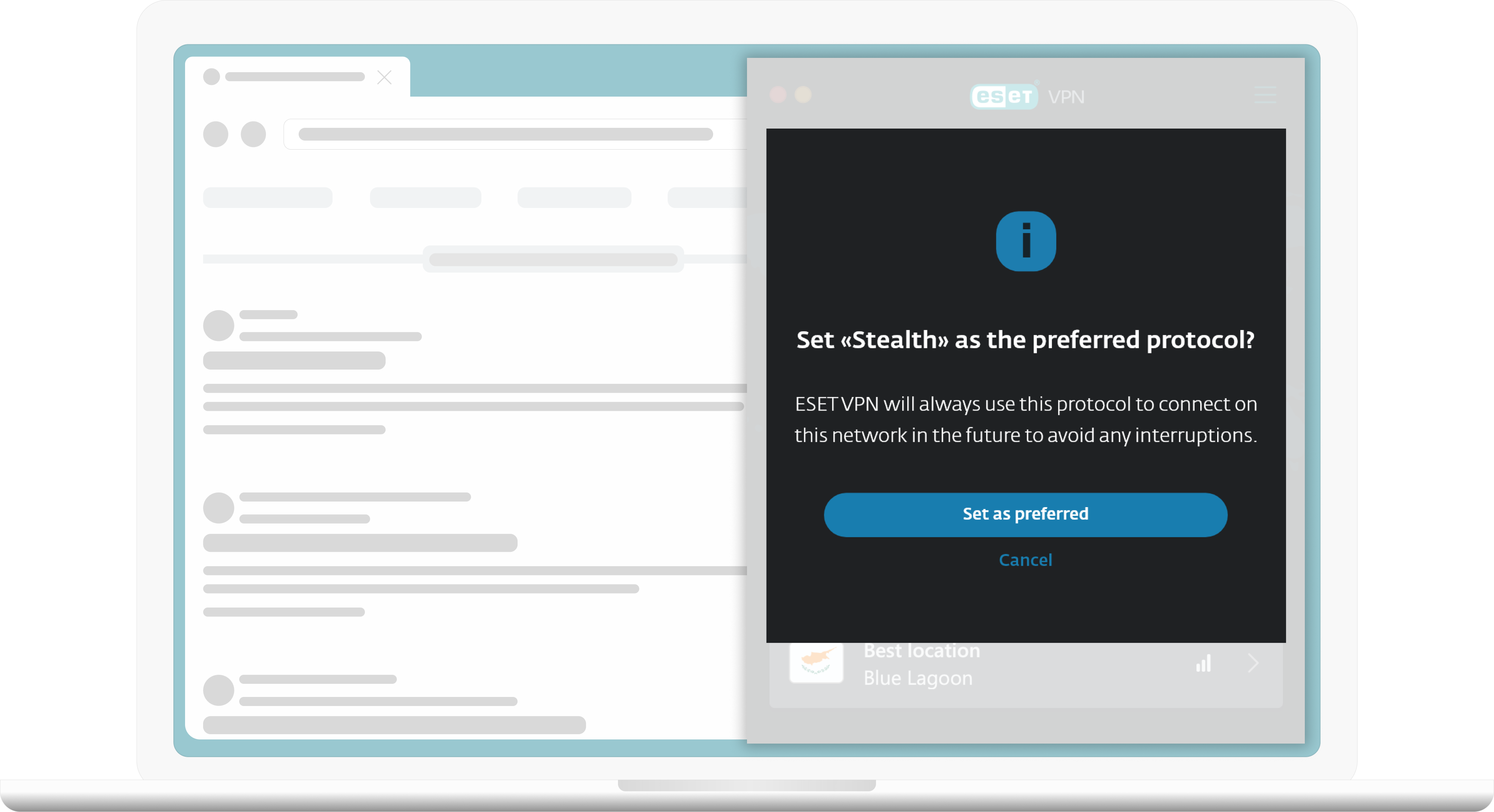
  • Stealth  Encapsulates OpenVPN in a TLS tunnel via Stunnel. It is an OpenVPN tunnel masked to look like HTTPS traffic. Usage of this protocol is recommended if all other methods fail.

  • Wstunnel  Encapsulates OpenVPN in a WebSocket. Usage of this protocol is recommended if all other methods fail.

ESET VPN is included in

With Premium security plan you will get:

  • Real-time antivirus protection Our security shields you from more than just viruses, protecting against malware, ransomware, spyware, phishing, and more.
  • Safe banking and browsing Bank, shop, and connect with ease. Our secured browser mode boosts your privacy and helps avoid phishing scams.
  • Encryption of sensitive data and photos Keep your files and USBs safe with military-grade encryption. Safely share your data with others.
  • Smart home and smartphone protection Protect everything from PCs, laptops, and smartphones to smart TVs and IoT devices. Lock and track missing devices, secure access to your webcam, and monitor microphone activity for enhanced privacy and control.
 

With Ultimate security plan you ca enjoy all the benefits of ESET HOME Security Premium, plus:

  • Proactive Identity Protection Safeguard your digital identity and prevent identity theft. Use dark web monitoring to scan for data breaches and leaked personal information.
  • Ransomware defence and recovery Keep your data untouchable: block zero-day ransomware, isolate threats, back up your data automatically, and restore everything in moments if encryption ever slips through.
  • Enhanced browser & privacy protection Easily manage website notifications and permissions, and remove metadata from images uploaded to your browser—details like capture time and location.
 

Frequently Asked Questions

How to download ESET VPN?

  1. Log in to your ESET HOME account.
  2. Click Security features in the Features section.
  3. Click Explore feature in the VPN tile.
  4. Select your ESET HOME Security Ultimate subscription and click Continue.
  5. Select a profile you want to protect and click Continue.
  6. Select the number of devices you want to protect and click Send instructions.
    • In this step, you will receive an email with VPN activation code.
    • Each VPN activation code is valid for 24 hours and can only be used on one device.
  7. Click Download VPN.
  8. Choose your operating system (Windows, MacOS, Android, or iOS) and click Download VPN.
    • For Windows or MacOS, double-click the installer file to start the installation and activation process.
    • For Android or iOS, you will be redirected to the Google Play Store or the App Store, respectively. Tap 'Install' to proceed.

How to install and activate ESET VPN?

  1. After downloading ESET VPN on your device, launch the installation file (for Windows or MacOS) or open the application (for Android or iOS).
  2. Click Continue. By clicking Continue, you accept the End User Licence Agreement and acknowledge the Privacy Policy.
  3. Type or copy/paste the VPN activation code you received in the email from ESET HOME and click Activate. Read more about managing of security features via User profiles in ESET HOME.
    • The Activation code consists of 10 characters, including capital letters and numbers, with an expiration time of 24 hours. If you try to activate the application after this time, it will return the status 'Activation code has expired.' In such cases, you need to request a new Activation code and activate the application within 24 hours.
  4. Select the desired location and change the protocol as needed. Click the power button to turn on the ESET VPN.
  5. Your ESET VPN is now connected.

Watch the step-by-step video guide on how to download and install ESET VPN.

Can I buy ESET VPN separately?

No, ESET VPN is currently only available as part of the ESET Home Security Premium and Ultimate tiers. This comprehensive package provides access to top-tier VPN services along with a complete suite of security features. While standalone purchase options are not available at this time, our priority is to offer users seamless and robust security solutions to protect their digital activities.

Can ESET VPN be purchased in my country?

Yes, ESET VPN is available for purchase in the UK, where using a VPN is completely legal and a great way to enhance your online privacy and security. With ESET VPN, you can take full control of your digital footprint and enjoy peace of mind while browsing the internet. ESET VPN boasts an extensive network of servers across various locations in the world, ensuring you have access to fast, reliable, and secure internet connections.

While VPN use is legal in the UK, it's important to remember that all UK laws remain applicable, even when your identity is masked by a VPN. ESET VPN does not support any form of illegal online activity.

How many VPNs will I get after purchasing?

With Ultimate plan you can activate:
VPN on up to 10 devices: If you purchase ESET HOME Security Ultimate for up to 10 devices, you can activate the VPN on up to 10 devices.
or
VPN on up to 25 devices: If you purchase ESET HOME Security Ultimate for more than 10 devices, you can activate the VPN on up to 25 devices.

With Premium plan you can activate:
VPN on up to 3 devices: If you purchase ESET HOME Security Premium for up to 10 devices, you can activate the VPN on up to 3 devices.
or
VPN on up to 5 devices: If you purchase ESET HOME Security Premium for more than 10 devices, you can activate the VPN on up to 5 devices.

What devices does ESET VPN support?

Windows: ESET Security Ultimate with VPN run on any computer with Microsoft Windows® 10, 11 and higher operating systems. No support for the x86 processor.

macOS: ESET Security Ultimate with VPN run on macOS 13 and higher operating systems.

Android: ESET Security Ultimate with VPN run on Android 9 and higher operating systems. App available on Google Play store.

iOS: ESET Security Ultimate with VPN run on iOS 13 and higher operating system. Compatible with iPhone. Functional on iPad and iPod touch. App available on App store.

As an existing customer, how do I add ESET VPN to my subscription?

VPN is included within our ESET HOME Security Premium and Ultimate plans. You can purchase a new ESET HOME Security subscription here or upgrade your current subscription at any time:

  1. Start by logging into your eStore account using your Activation key.
     
  2. Click on the green "Extend" or "Renew" button.
     
  3. Select the Upgrade option displayed on the right side of the screen and click the "ACCEPT & UPGRADE" button.
    • If you're not offered ESET HOME Security Premium or Ultimate on this screen, click "Compare benefits" to find your plan, and click "UPGRADE NOW."
  4. Complete the checkout and then check your inbox for a confirmation email and further installation instructions.

Does a VPN keep you safe from viruses?

While VPNs offer excellent security for your online data, they do not directly protect against viruses. Thankfully, with ESET Home Security Ultimate you’ll get our world-class antivirus solutions included with VPN.

What is a VPN?

VPN stands for “Virtual Private Network” and is a type of technology that enables individuals to connect to the internet securely and privately. The VPN encrypts the user’s data transmitted from their device to a remote server so their online activity remains confidential, even on public networks. The VPN feature provides an extra layer of security, as when connected, it makes it more difficult for users’ online data to be tracked or stolen.

VPNs have several crucial functions that improve users’ online security and privacy. They can hide a user's IP address, making it difficult for third parties to find out where the user is located and helping to disguise their identity online. VPNs also create a point-to-point tunnel from a user's computer to a remote server. This allows data to be encrypted and transmitted securely.

ESET VPN feature is part of ESET Security Ultimate. Learn more about ESET HOME subscription tiers.

What are the benefits of using a VPN?

A VPN can bring a wealth of benefits to your online experience. Firstly, you will have greater online freedom - this is especially important when accessing information that may be unavailable in your geographical location. You can also be confident that your online data and browsing history are secure and cannot be accessed by third parties.

With a VPN, your location and IP address are masked. This ensures that any malicious third parties or internet users are unable to track you, providing an extra layer of security. In addition, VPNs can help to bypass government restrictions, surveillance or censorship, allowing you to access the content you want, wherever you may be.

How does a VPN work?

VPN providers own remote servers all over the world. This means that no matter where a user is located, they can connect to the internet privately and anonymously. VPNs work by masking the user’s IP address so that when they access the internet, the VPN shows as the source of their data, rather than their location.

As the VPN also encrypts all of the information in the point-to-point tunnel (the user’s online activity and data), if unwelcome third parties do access it, it is completely unusable.

How many different VPN server locations does ESET VPN offer?

ESET VPN offers a choice of 71 different countries, with each country potentially hosting multiple server locations.* View the full list of available countries within ESET VPN.

*Available with the Ultimate plan. Premium users can access up to 40 countries.

How do I change VPN location?

  1. Open the ESET VPN application on your device.
  2. At the bottom of the main screen, you'll find a button displaying your currently selected location.
  3. Tap this button to choose a different location and, if necessary, change the protocol.
  4. Press the power button to activate ESET VPN.
  5. Your ESET VPN is now connected.

When should I use ESET VPN?

ESET VPN should be used whenever you're concerned about your online privacy and security, especially in scenarios where your internet connection might not be entirely secure. Here are some common situations when activating ESET VPN is highly recommended:

  1. Public Wi-Fi networks: Using public Wi-Fi, such as at cafes, airports, or hotels, can expose you to security risks. ESET VPN encrypts your connection, protecting your data from hackers and eavesdroppers.
  2. Remote work: If you're accessing your workplace's systems and sensitive data remotely, ESET VPN ensures that your connection to your company's network is secure, safeguarding both personal and company data.
  3. Privacy from ISPs: Your Internet Service Provider (ISP) can see everything you do online. ESET VPN hides your online activity, ensuring your privacy and preventing your ISP from tracking your browsing habits or throttling your internet speed based on usage.
  4. Accessing geo-restricted content: Whether you're travelling or living in a region with internet censorship, ESET VPN can help you bypass geo-blocks, allowing access to content from around the world, including streaming services, news websites, and social media platforms.
  5. Safe online banking and shopping: When managing your finances or shopping online, ESET VPN adds an extra layer of security, protecting your financial details from potential cyber threats.
  6. Gaming: ESET VPN can improve your gaming experience by reducing ping times, bypassing geo-restrictions on games, and protecting you from DDoS attacks.

What is the best VPN for Android?

ESET VPN, included in our ESET Ultimate Security Solution, is ideally suited to Android devices, offering comprehensive online protection. With features like data encryption, IP address masking, and privacy when using public networks, you’ll be able to take full advantage of all of the benefits a VPN has to offer, as well as the other robust Ultimate security features.

What is the best VPN for iPhone?

While there are a wide range of different VPN providers, if you are looking for a brand you already know and trust, ESET VPN for iPhone is a great choice. Enjoy the freedom to access content from around the world while ensuring your data stays confidential and secure. With unlimited bandwidth in the ESET Ultimate Security Solution package, you can browse freely, without restrictions and decreased network performance.