Protection for mobile devices
ESET Mobile Threat Defence
Extends ESET's trademark multilayered security approach to mobile devices, offering automated, comprehensive protection for your entire organisation's mobile fleet.
- Protect against mobile threats
- Prevent lateral movement
- Protect company data on hand-held devices
- Block unwanted apps
- MDM for iOS and IpadOS included
Explore features
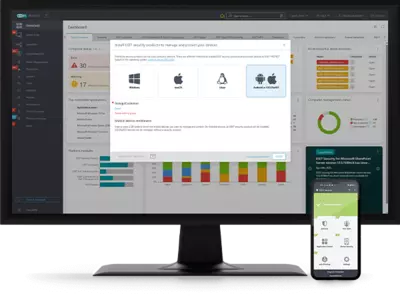
Managed from a unified console
Manage all ESET endpoint and mobile devices from the ESET PROTECT management console. AndroidiOS,iPadOS
Enrolment options
For streamlined enrolment of your mobile devices, we support Microsoft Intune, Microsoft Entra ID, VMware Workspace ONE and Apple Business Manager. AndroidiOS, iPadOS
Anti-theft
Easily remote lock or turn on a siren when a device is lost or stolen. In addition, send custom messages directly to devices, or set up lock screen information to help ensure devices get returned to proper owners. For iOS devices there is also the ability to perform a remote wipe.AndroidiOS, iPadOs
Application control
Offers administrators the option to monitor installed applications, block access to defined applications, permissions, or categories and prompt users to uninstall particular applications. AndroidiOS, iPadOS
Device security
Left up to a user, device security is usually not implemented properly. So ESET enables admins to define password complexity requirements, prompt users to encrypt their device, and more. AndroidiOS, iPadOS
Multilayered defence
A single layer of defence is not enough for the constantly evolving threat landscape. All
endpoint products have the ability to detect malware preexecution, during execution
and post-execution, all while remaining optimised for mobile. Android
Artificial intelligence
All ESET endpoint products have been employing artificial intelligence alongside all other layers of defence since 1997. Specifically, AI is used in the form of consolidated output and neural networks. Android
Anti-phishing
Protects users from fake websites that attempt to acquire passwords, banking data, and other sensitive information. Android
Application audit
Tracks applications and their access to personal/company data sorted by categories,
allowing administrators to monitor and control applications’ access. Android
Web control
Control or restrict websites that users of managed devices can access, in order to avoid
inappropriate, harmful or productivity-impacting content. Use default report templates,
or set up your own customised reports. Android
Push account settings remotely
Remotely push out settings such as Wi-Fi, VPN, Microsoft Exchange information, screen lock timers, and camera restrictions. iOS, iPadOS
ABM Compatibility
APPLE BUSINESS MANAGER (ABM) is a powerful method of enrolling corporate iOS devices. With ABM compatibility you can enrol devices into ESET protection automatically, without needing direct contact with the device and with minimal interaction from the user. This allows complete customisation of device setup, saving you time and money. iOS, iPadOS
System requirements
Supported operating systems
Security for:
- Android
Mobile Device Management (MDM) for:
- Android
- iOS and iPadOS
Supported MDM enrolment options
- Android enrolment
- Microsoft Entra ID enrolment (Android or iOS)
- Microsoft Intune synchronisation (Android)
- VMware Workspace ONE synchronisation (Android)
- iOS enrolment
- Apple Business Manager (ABM) synchronisation (iOS)
Note: Exact features and functionality may vary depending on the OS and version used.