Is this AI skill safe to install? Try ESET AI Skills Checker

AI agents rely on skills to perform tasks. Skills are updated frequently and can contain hidden risks. The ESET AI Skills Checker analyzes any skill URL in real time, detecting signs of malicious activity before you install it.

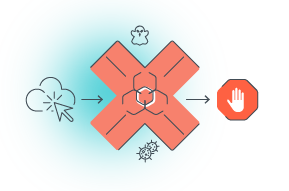
Not Safe link
×not safe skill

Warning: dangerous skill!

This skill appears unsafe and could expose your workspace, credentials, or sensitive data. It may contain risky instructions, malicious code, phishing tactics, or signs of having been tampered with. Proactively block threats like these with ESET HOME Security.
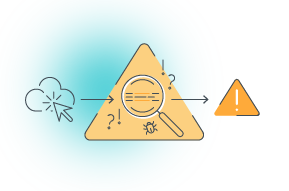
Warning
×suspicious skill

CAUTION: THIS SKILL SHOWS RISKY BEHAVIOR. WE DO NOT RECOMMEND IT.

We did not detect definitive malicious behavior, but this skill shows one or more warning signs, such as limited provenance, unclear permissions, risky dependencies, or instructions that warrant manual review. We do not recommend using it. If you still choose to proceed, use caution and verify the publisher before installing or granting access.

More than a static scan. A full behavioral analysis.

Most scanners look at what a skill says. ESET analyzes what it does, including how it behaves in an AI agent conversation

Skill content analysis

Skills often reference external URLs on sites like GitHub, GitLab, paste services, and payload-hosting sites. We extract every URL the skill references and check it against ESET threat databases and real-time analysis.

Full payload chain analysis

We simulate the skill in a sandboxed AI agent context. This helps identify risks that only emerge during extended interactions.

We analyze the full skill file, including every command, script, code block, and configuration. We look for malicious instructions, hidden payloads, and excessive permissions that pattern-only tools miss.

External URL extraction and checking

We trace the full download-and-execute chain, not just the first link. If a skill fetches a script that downloads another payload, we follow the entire sequence to uncover threats hidden behind multiple layers.

Behavioral simulation in a sandboxed environment

Skill content analysis

External URL extraction and checking

Full payload chain analysis

Behavioral simulation in a sandboxed environment

We analyze the full skill file, including every command, script, code block, and configuration. We look for malicious instructions, hidden payloads, and excessive permissions that pattern-only tools miss.

Skills often reference external URLs on sites like GitHub, GitLab, paste services, and payload-hosting sites. We extract every URL the skill references and check it against ESET threat databases and real-time analysis.

We trace the full download-and-execute chain, not just the first link. If a skill fetches a script that downloads another payload, we follow the entire sequence to uncover threats hidden behind multiple layers.

We simulate the skill in a sandboxed AI agent context. This helps identify risks that only emerge during extended interactions.

Dos and Don'ts of AI Skill installation

Before you install any AI skill

  1. Check the skill URL with ESET AI Skills Checker.
  2. Review the skill's permissions. If something seems excessive, it probably is.
  3. Look up the author. Established, verifiable authors are generally lower risk.
  4. Check for community reviews and issue reports on the repository.
  5. Keep your AI platform and agent software updated.

Red flags to watch for
when installing any skill

  • The skill requests permissions far beyond what its stated purpose requires.
  • The skill loads code from an external URL unrelated to the author's domain.
  • The skill author has no verifiable identity or reputation on the repository.
  • The skill was published very recently with no reviews or usage history.
  • The skill's code is obfuscated or uses encoded strings.

Frequently Asked Questions

About ESET AI Skill Checker
 

What is ESET AI Skills Checker?

ESET AI Skills Checker is a free tool that analyzes AI agent skills from popular repositories to determine whether they are safe. Using ESET product engines, it delivers multilayer detection that goes far beyond pattern-based scanning. It extracts and checks all external URLs referenced by a skill, traces full payload chains, and runs sandboxed behavioral simulations in an AI agent context.

Which AI skill repositories does it support?

ESET AI Skills Checker supports ClawHub (OpenClaw), playbooks.com, skills.sh, and other popular skill repositories. It also checks backing repositories that skills may reference, including GitHub, GitLab, paste services, and payload-hosting sites.

What is a Not Safe Skill verdict?

A Not Safe Skill verdict means the skill is unsafe and may expose your workspace, credentials, or sensitive data. It may contain risky instructions, malicious code, phishing tactics, or signs of tampering. Do not install it.

What is a Suspicious Skill verdict?

A Suspicious Skill verdict means the skill behaves in a risky way. We do not recommend using it. While it has not been confirmed as malicious, its behavioral patterns indicate a potential security risk.

Is ESET AI Skills Checker free?

Yes! ESET AI Skills Checker is free to use. No account, subscription, or credit card is required.

What are AI skills,
and why do they matter for my security?

What is an AI skill?

An AI skill is a tool or add-on that gives an AI agent new or enhanced abilities. It tells the agent how to perform tasks, what tools or services to use, and what actions to take. Think of AI skills as apps—ones that work behind the scenes, inside your AI agent.

How can a skill be malicious?

  • It may instruct the agent to secretly send out data to an external server.
  • It may contain a script that downloads and runs malicious code when activated.
  • It may use prompt injection to override the agent's instructions and make it act against your interests.
  • It may gradually change agent behavior over multiple interactions before revealing its true intent.

Why static scanning is not enough?

Malicious skills are written to appear harmless at first glance. They may load malicious code from an external URL or activate only under certain conditions that a one-time scan does not detect. This is why ESET uses behavioral simulation—to identify threats in context and in real time.

What to do if a skill was already installed?

If you installed a skill that is later flagged as unsafe or suspicious, remove it immediately from your agent's skill list. Change any passwords or credentials the agent had access to during its active period. If the skill was granted access to files, email, or external accounts, review recent activity in those services and revoke any permissions the agent was given.

Scan the skill. Then secure everything.

A one-time scan is a strong first step, but ongoing protection keeps you safe as threats evolve