Holiday Savings: Save 30% now


Explore all features by platform
Recognized quality by independent tests and customers
Frequently Asked Questions
How do I download/install ESET after purchase?
You can install ESET by following these simple steps:
- Uninstall any previously installed antivirus software on your system.
- Click on the “GET STARTED” button on this page and create or login to your ESET HOME.
- Install ESET on your devices by clicking on "Protect device" button. In case you need to add your subscription first, use the “Add subscription” button.
- Choose your operating system and download the installer file.
- Install by following on-screen instructions.
Additional details regarding product installation and activation can be found here.
Watch the step-by-step video guide on how to download and install ESET HOME Security.
Can I try ESET before buying?
Yes! A free 30-day trial can be downloaded here.
Can I still purchase ESET Internet Security or ESET Smart Security Premium?
These subscriptions have been replaced with our new subscription tiers: ESET HOME Security Essential and ESET HOME Security Premium.
Using the same award-winning multilayered technology trusted by over 1 billion users worldwide, our new plans offer a range of options to suit the number of devices you wish to protect per year. All-in-one protection plans are also compatible across all major operating systems. Learn more about our recent privacy and identity protection enhancements here.
What is included in the all-in-one protection plans?
Our all-in-one protection plans consist of different combinations of products and features. This depends on the level of protection they provide. As a result, the name of the specific product you activate under the all-in-one protection plan may differ from the name of the all-in-one protection plan. More information on what is included in a specific subscription plan is available here.
What’s different about the new all-in-one protection plans?
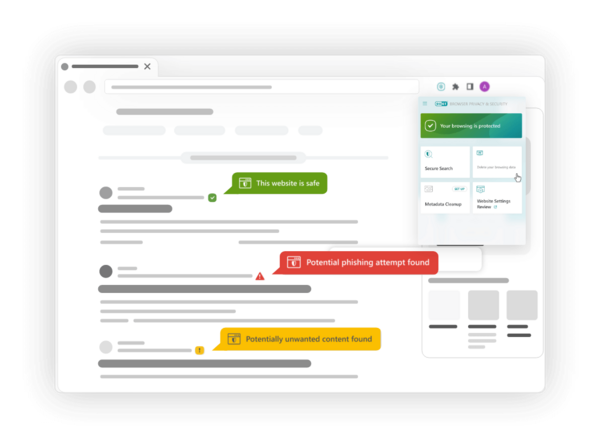
Our new all-in-one protection plans will elevate your privacy and security to new heights, thanks to powerful features like the Virtual Private Network (VPN), Identity Protection and the Browser Privacy & Security extension. These features seamlessly integrate into our new subscription tiers alongside all the features you already rely on, which remain intact.
Can I still purchase NOD32 Antivirus?
Yes, you can! Our legendary ESET NOD32 Antivirus is available for purchase here.
By the way, NOD32 technology remains at the core of all our security products, including all ESET HOME Security plans. It's the legendary foundation that has propelled us into being a leading name in cybersecurity. With a proud history of more than 100 prestigious VB100 awards, we are committed to continuing the story of NOD32, ensuring it is continually enhanced with additional layers of protection to remain as effective as ever in protecting your digital life.
Can I protect mobile phones or multiple operating systems with my ESET subscription?
Definitely. ESET HOME Security Essential, ESET HOME Security Premium and ESET HOME Security Ultimate are multi-platform solutions. Use them to secure all your Windows, macOS and Android devices under one subscription—simply select how many devices you wish to protect, and enjoy powerful digital security.
Can ESET protect my iPhone or iPad?
Currently, ESET does not provide an antivirus solution for iOS. However, select privacy & identity protection features are available for both iPhones and iPads. Read more about how to protect your iPhone and iPad.
Does ESET protect against types of malware such as ransomware?
You bet it does! ESET offers full protection against all forms of malware, including ransomware, spyware, keyloggers and adware. While Ransomware Shield detects and blocks threats, Ransomware Remediation (available in ESET HOME Security Ultimate and ESET Small Business Security) automatically backs up and restores.
How do I set up the ESET VPN?
Watch the step-by-step video guide on how to set up ESET VPN.
Number of Available VPN Devices:
VPN on up to 25 devices → Available with ESET HOME Security Ultimate when purchased for more than 10 devices
VPN on up to 10 devices → Available with ESET HOME Security Ultimate when purchased for up to 10 devices
VPN on up to 5 devices → Available with ESET HOME Security Premium when purchased for more than 10 devices
VPN on up to 3 devices → Available with ESET HOME Security Premium when purchased for up to 10 devices
Can I get a refund if I am not totally satisfied?
We are committed to client satisfaction and offer a generous 30-day return policy. If you are not 100% satisfied with your purchase, we’ll happily provide a full refund of the purchase price.
For more details, see our refund policy.
How can I renew or add additional devices to my subscription?
You can renew, enlarge or upgrade your subscription at any time.
- Start by logging into your account using your activation key (XXXX-XXXX-XXXX-XXXX-XXXX).
- To renew your subscription, select the “Extend” option and adjust the period or number of devices you’d like to cover.
- If you wish to add additional devices under the original expiration date, select “Enlarge” and adjust the number of devices you’d like to cover. We’ll match the expiry date and calculate the pro-rated price for your extra devices.
If these options are not present in your account, it’s likely that your subscription has already expired. If this is the case, we recommend purchasing a new subscription.
Watch the video guide on how to renew or add additional devices to your subscription.
How do I cancel my subscription?
Auto-renew is continuous, unless you turn it off after purchase (via your account). Turning off auto-renew will not cancel your subscription – your ESET protection will continue until your subscription expires. We will notify you before expiration so that you may renew manually.
You can cancel automatic renewal at any time.
- Begin by logging into your account using your activation key (XXXX-XXXX-XXXX-XXXX-XXXX).
- Proceed to the Subscription Management page, where you may use the “Auto-Renew” slider to cancel the renewal of your subscription.
- Confirm your selection to renew manually.
What are the minimum system requirements?
Windows:
ESET Security Ultimate, ESET Smart Security Premium, ESET Internet Security, ESET NOD32 Antivirus and VPN run on any computer with Microsoft Windows® 10, 11 and higher operating systems.
macOS:
ESET Cyber Security and VPN run on macOS 13 and higher operating systems.
Android:
ESET Mobile Security, VPN and ESET Smart TV Security run on Android 9.0 and higher operating systems. An Internet connection is required.
iOS:
ESET VPN runs on iOS 13 and higher operating systems. ESET HOME runs on iOS 16 and higher operating systems.
Router:
VPN for Router requires a model that includes VPN client support for OpenVPN and/or WireGuard. For best speed, use a modern router with strong CPU.